
Instant Documentation — Press a Shortcut for Any API Reference
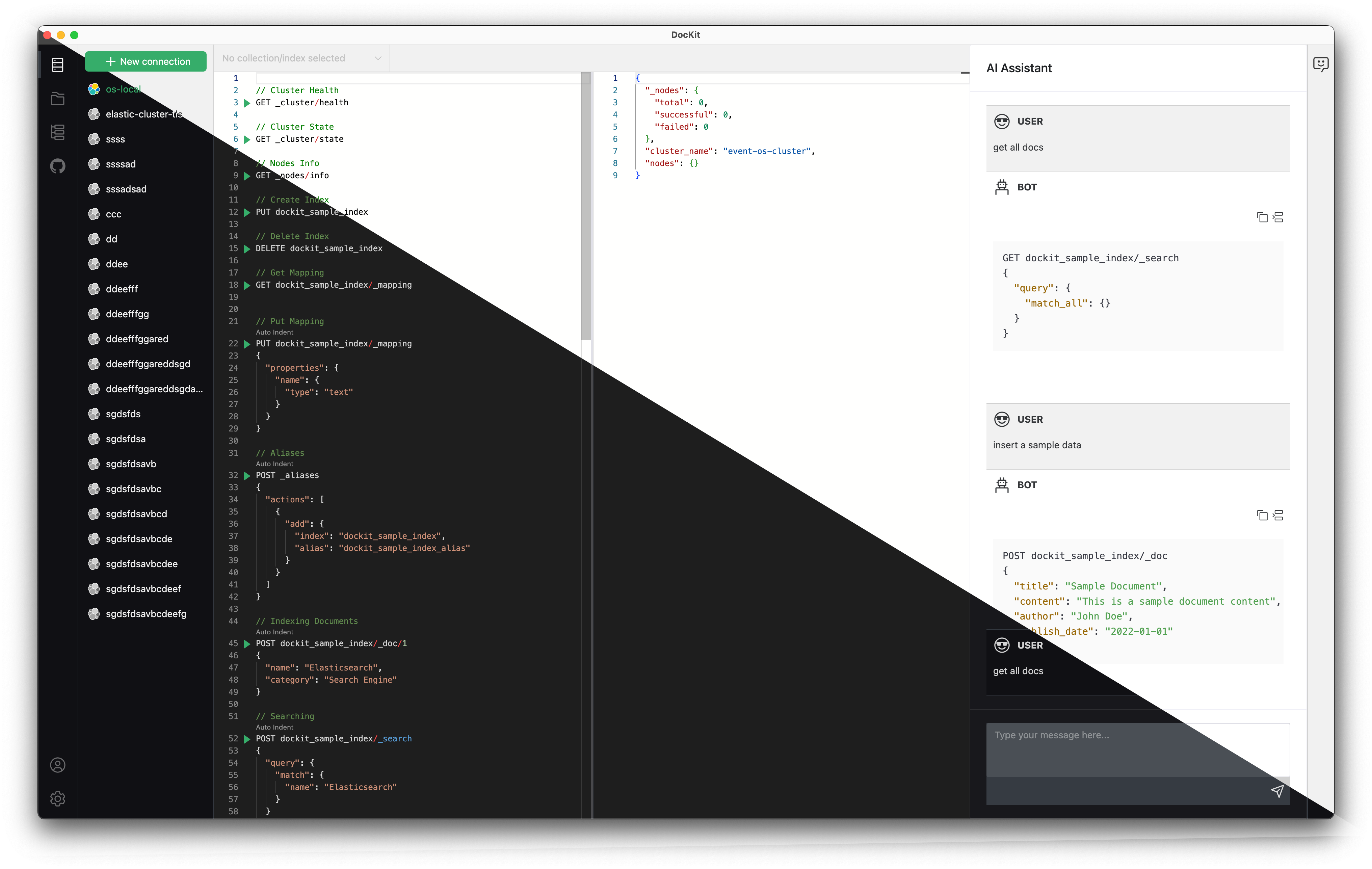
When you're writing Elasticsearch queries in Dev Tools, the most frustrating moment isn't typos in your JSON — it's losing context while switching to a browser tab to look up API syntax. The old GET /my-index/_search might need a specific query parameter in ES 8.x that didn't exist in 6.x. The POST /_reindex response format changed again. You've memorized the common endpoints, but the edge cases always send you to Google.
DocKit just solved this. Press ⌘D on Mac or Ctrl+D on Windows and Linux from anywhere in the editor, and get the exact documentation page for the current API — version-aware, language-aware, and engine-aware.
The Problem We Solved
Before this release, DocKit's Ctrl+D shortcut worked via a hardcoded dictionary of ~28 regex patterns matching known API endpoints. It covered the basics: GET _search, PUT _mapping, POST _bulk. But the Elasticsearch REST API has hundreds of endpoints, and maintaining that dictionary manually would never cover everything:
- Partial coverage — many
_cat/,_ml/,_security/,_transform/, and newer v8/v9 endpoints had no documentation link - Version mismatch — all links pointed to a single version, regardless of your cluster version
- No OpenSearch support — OpenSearch has different documentation URLs entirely
- No DynamoDB support — AWS API references were completely separate
The result: Ctrl+D worked for 1-in-3 queries at best. For everything else, you still had to open a browser.
What Changed
We rebuilt the documentation system from the ground up — 1,300+ lines of new code and tests across 9 files. Here's what's new:
1. 100% API Coverage via Spec-Driven Mapping
Instead of regex patterns, DocKit now uses the comprehensive API spec provider (apiSpecProvider) that already powers our Search DSL auto-completion. This spec includes every Elasticsearch endpoint — hundreds of operations covering:
- Index operations — create, delete, open/close, validate, settings, mapping
- Document operations — get, update, delete, bulk
- Search & aggregations — search, msearch, terms-enum, explain
- Cluster management — health, state, nodes info, settings
- Security — roles, API keys, role mappings
- ML & transforms — inference, transform, enrich
- Cat APIs — indices, aliases, nodes, shards
- And everything else — CCR, SLM, pipelines, snapshots
If it exists in the Search DSL completion spec, Ctrl+D now knows exactly where to find its documentation.
2. Cross-Version Documentation Strategy
Elasticsearch's documentation has two formats, and they changed with v9:
- Old Guide Format (≤ v8.19):
https://www.elastic.co/guide/en/elasticsearch/reference/{version}/{page}.html - New API Docs (≥ v9):
https://www.elastic.co/docs/api/doc/elasticsearch/v{major}/operation/{name}
DocKit automatically detects your cluster version and selects the right format:
| Your Cluster | Doc Format |
|---|---|
| ES 6.x | Old guide → closest available version (e.g., 6.8) |
| ES 7.x | Old guide → closest available version (e.g., 7.17) |
| ES 8.x (≤ 8.19) | Old guide → matching minor version |
| ES 9.x+ | New API docs → matching major version |
| OpenSearch | OpenSearch docs → version-aligned |
| DynamoDB | AWS API reference → versioned |
For every version, DocKit maps to the closest available documentation in Elastic's guide index. No fallbacks to wrong versions — if your cluster is running 8.5, you get 8.specific docs, not a hardcoded v8.19.
3. Multi-Engine Support
The system now handles three engines with completely different documentation sources:
| Engine | Documentation Source |
|---|---|
| Elasticsearch | Elastic's official API docs (dual format) |
| OpenSearch | OpenSearch official docs (version-specific) |
| DynamoDB | AWS API reference for operations |
The same keyboard shortcut works across all three — the system detects which engine you're connected to and pulls the right documentation.
4. Language Support
Press the documentation shortcut and get documentation in your preferred language. DocKit reads your app's language setting and:
- If set to Chinese → opens the Chinese documentation page
- If set to English → opens the English documentation page
No manual translation needed — the URLs are constructed based on your configured language.
5. Edge Cases Handled
We fixed dozens of edge cases during this refactor:
- Method-based transformations — some endpoints support both GET and POST. DocKit now maps method-specific operations to their exact documentation page
- Multi-method endpoints —
_cat/indices,_settings,_reindexand other multi-purpose endpoints now have correct operation-to-page mappings - Legacy-to-new page name corrections —
cat-alias→cat-aliases,modules-snapshots→ correct current names HEADrequests — alias and index existence checks now link to the right docsDELETEscroll — scroll API cleanup operations now documented
Technical Details
Architecture Overview
User presses ⌘D / Ctrl+D
        │
        ▼
  Read current line(s) from editor
        │
        ▼
  Match against apiSpecProvider endpoints
        │
        ├─ Elasticsearch → build API docs URL
        │                   ├─ Version detection (6→9+)
        │                   ├─ Format selection (old guide vs new API)
        │                   └─ Method mapping (GET/POST/PUT/DELETE)
        │
        ├─ OpenSearch → build OpenSearch docs URL
        │                └─ Version-aligned mapping
        │
        └─ DynamoDB → build AWS API reference URL
                        └─ Operation name resolution
        │
        ▼
  Open URL in system browser
Before & After
Before:
// 28 hardcoded regex patterns covering ~1/3 of APIs
const actionRegexMap: { [key in ActionType]: RegExp } = {
  POST_SEARCH: /POST .*\/_search/,
  POST_COUNT: /POST .*\/_count/,
  // ... many more, but incomplete
};
After:
// Spec-driven, coverage via apiSpecProvider
// Every endpoint in the completion spec gets a documentation path
const docPath = apiSpecProvider.getDocPath(action, method, version);
const url = buildDocUrl(backendType, version, docPath, language);
What's Included
- 467 lines of rewritten
referDoc.ts(documentation system) - 381 lines of updated
completionProvider.ts(auto-completion now shares doc logic) - 71 lines of expanded
apiSpec.ts(API specification with doc paths) - 373 lines of new tests (
referDoc.test.ts,index.test.ts) - 37 test cases covering v0.90 → v9.x version-specific documentation mapping
- 9 files changed across 1,300+ lines added
Why This Matters for Your Workflow
- Zero context switching — Stay in DocKit. No browser tab, no Google search.
- Version-accurate — ES 6.x docs for ES 6.x clusters, ES 9 docs for ES 9. No surprises from deprecated parameters.
- Multi-engine — Same shortcut works for Elasticsearch, OpenSearch, and DynamoDB.
- Chinese docs — If you prefer Chinese documentation, one click gets it.
- 100% coverage — Every endpoint has a documentation link. Not "most" — every single one.
Try It Now
- Open DocKit and connect to any Elasticsearch/OpenSearch/DynamoDB server
- Type any operation in the editor:
GET _cluster/health,PUT my-index/_mapping,POST /_reindex - Place your cursor on the line and press ⌘D on Mac or Ctrl+D on Windows and Linux
- The exact documentation page opens in your browser
That's it. No setup, no configuration — it works automatically with any connection.
Related Resources
- DocKit — AI-Native NoSQL GUI — Multi-engine desktop client
- Best Elasticsearch GUI Tools 2026 — ES tools comparison
- Elasticsearch GUI Client Guide — Getting started with ES in DocKit
- OpenSearch GUI Client — OpenSearch desktop client
- Download DocKit — Get the latest version
Last updated: May 6, 2026.