
DocKit - Introduction to Elasticsearch GUI Client
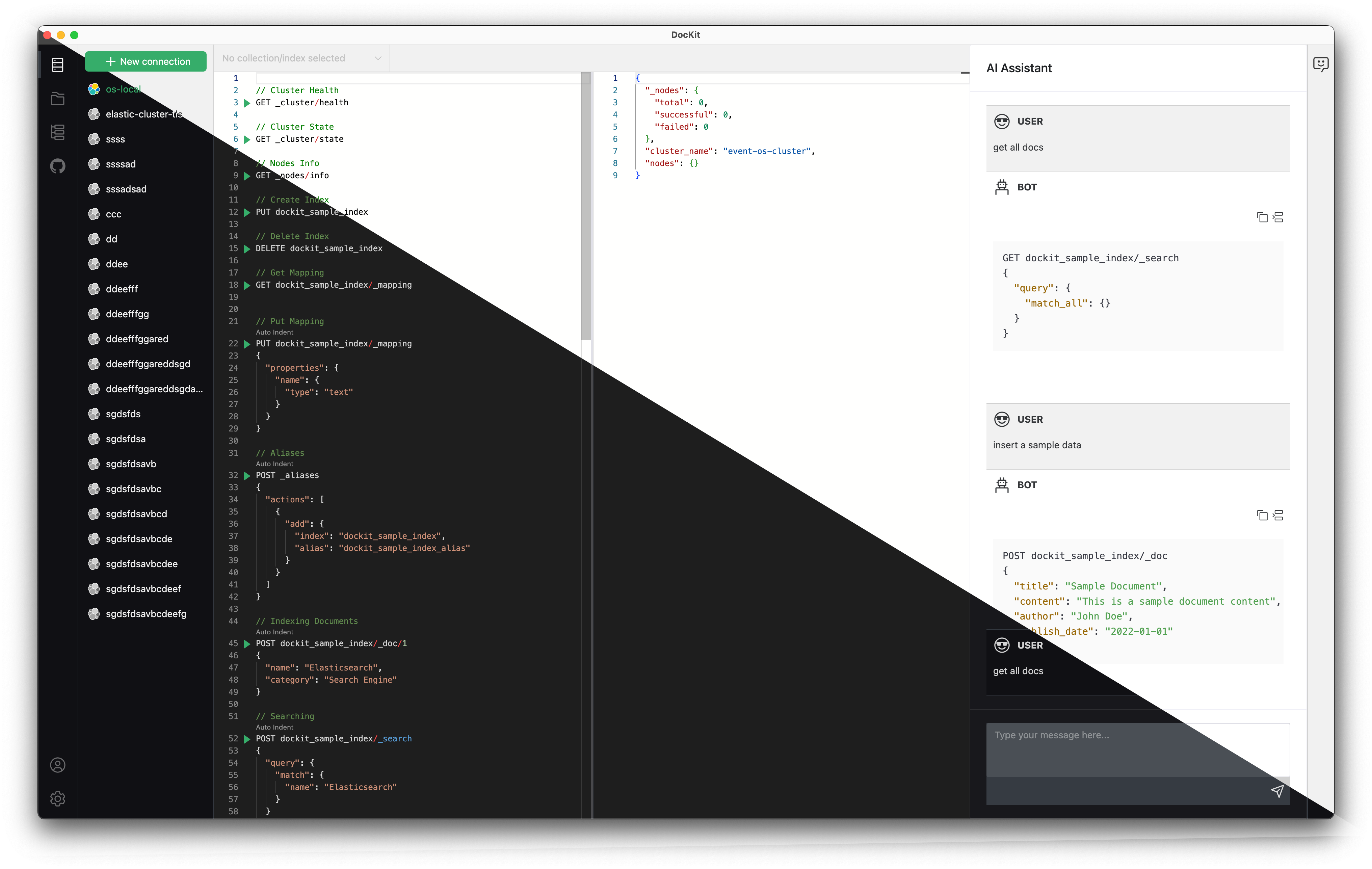
DocKit is a free, open-source desktop client for Elasticsearch and OpenSearch. It's a lighter alternative to Kibana for day-to-day query development — connects to multiple servers, runs queries fast, and doesn't eat half your RAM running a browser tab.
Compared to Kibana, DocKit launches in under 2 seconds, uses a fraction of the memory, and supports multiple server connections you can switch between instantly. It works with OpenSearch too, so you don't need separate tools for each.
Why DocKit over Kibana for day-to-day queries
Kibana is great for visualizations and dashboards, but for writing and executing queries during development, it's heavy. You need a running container, it takes 10-30 seconds to start, and each browser tab eats memory.
DocKit is a native desktop app. It connects to multiple Elasticsearch and OpenSearch servers at once — local, staging, production — and you can switch between them without opening new windows. Queries are saved locally as files, so they're Git-friendly and work offline.
It also supports OpenSearch, so if your team runs both, you're not switching between Kibana and OpenSearch Dashboards for the same task.
Key Features
- Query editor with syntax highlighting, auto-completion, and inline comments (JSON5 support)
- Connect to multiple Elasticsearch and OpenSearch servers simultaneously
- Cluster management — index operations, node monitoring, shard allocation
- AI-assisted query generation — describe what you want in plain English
- Cross-platform — macOS, Windows, Linux
- Open source (Apache 2.0)
Getting Started
- Download and install the latest version for your OS
- Connect to your server — local, remote, or cloud
- Start writing queries in the editor and run them with
Cmd/Ctrl + Enter
For more information and to download DocKit, visit the official website.