
Elasticsearch GUI Client
DocKit is an open source Elasticsearch desktop client for Mac, Windows, and Linux. It provides a Monaco based query editor, AI query generation, and cluster management tools without requiring a Kibana installation.
Desktop client vs Kibana
Kibana works well for dashboards and observability but starts slowly. It often takes 10 to 30 seconds to load, requires over 500 MB of RAM, and needs a server side instance. DocKit starts in under 2 seconds and uses about 150 MB of RAM. It works offline and stores queries as local files.
This makes it a faster option for developers who only need the Dev Tools functionality.
Product demo
Key features
Monaco based editor
The query editor uses the same engine as VS Code.
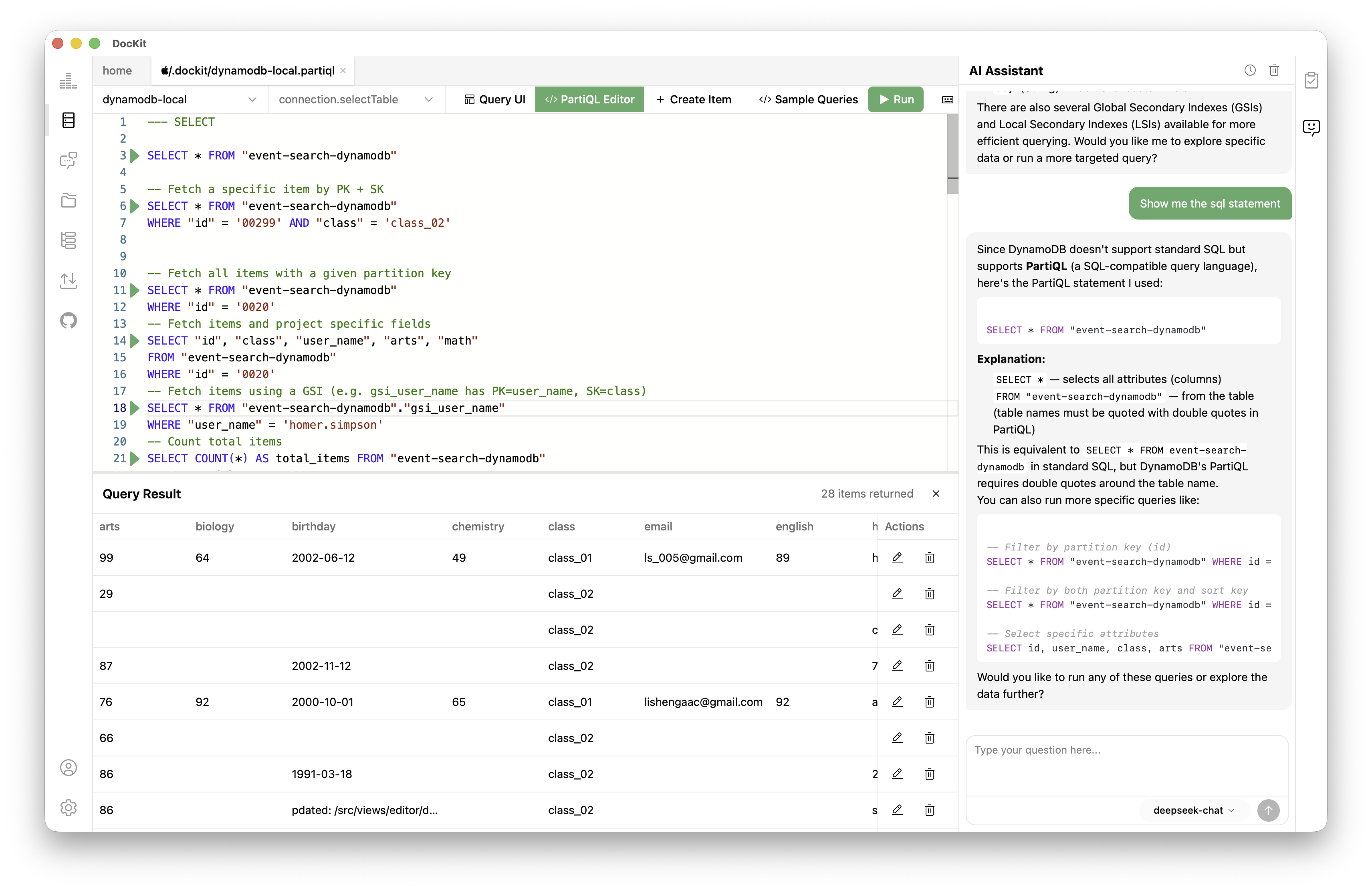
- JSON5 support lets you use comments and trailing commas.
- Syntax highlighting for Elasticsearch Query DSL.
- Autocomplete for fields and indices using live cluster mappings.
- Automatic formatting and one click copy as curl commands.
- Use Cmd/Ctrl + Enter to run queries.
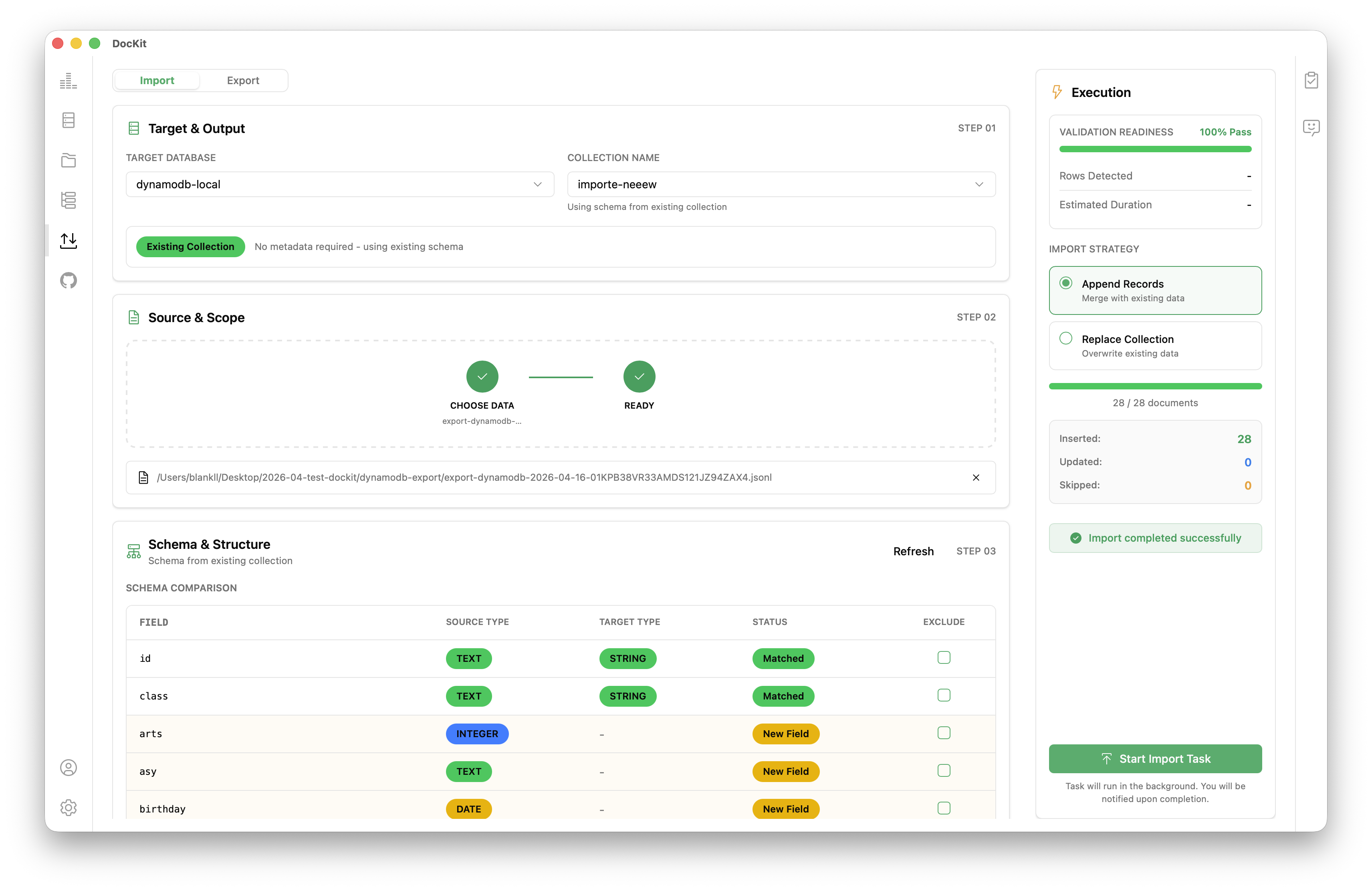
Data AI agent — Agentic Data Studio
The sidebar AI assistant and Agentic Data Studio have access to your connection, index mappings, cluster state, and query history. When you ask for something, they read live context from your cluster, build the DSL, and can run it against Elasticsearch through verified tools.
Ask "find the slowest queries from the last hour" — the agent reads your cluster metadata, constructs the query, runs it, and shows you results. Ask "check shard allocation" — it hits _cat/shards and returns structured data.
Read operations run automatically. Destructive operations require explicit confirmation. Your credentials are never sent to the LLM.
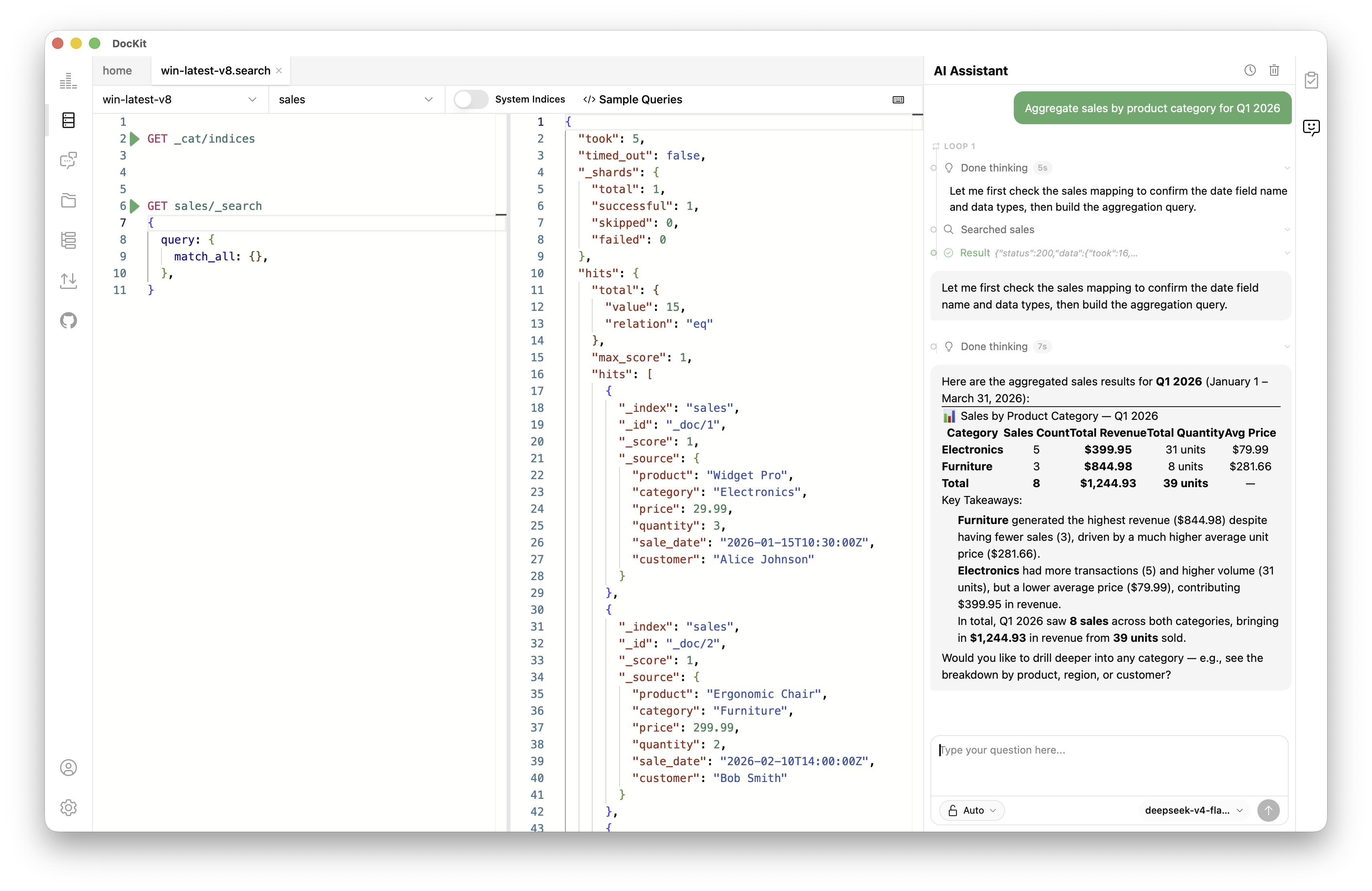
Cluster management
View index statistics like document counts, shard health, and storage size. You can manage mappings, settings, aliases, and templates from the UI. The app also monitors node health, shard allocation, and active tasks.
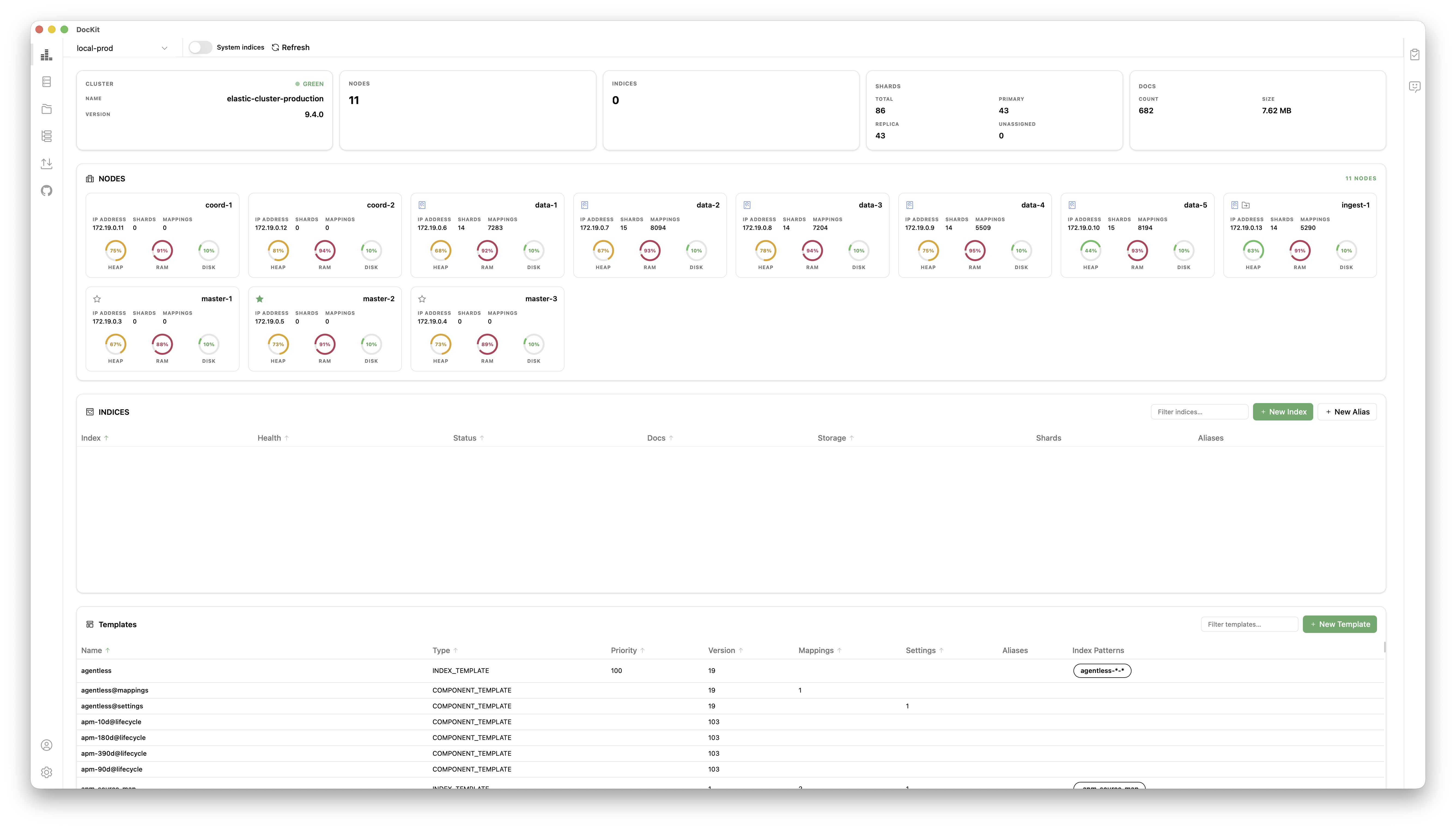
Import and export
Move data using JSON, CSV, or JSONL formats. The export process uses the scroll API to handle large indices reliably.
Query history
DocKit saves your query history automatically. You can search, copy, or re-run previous queries. This history is connection scoped and stored locally.
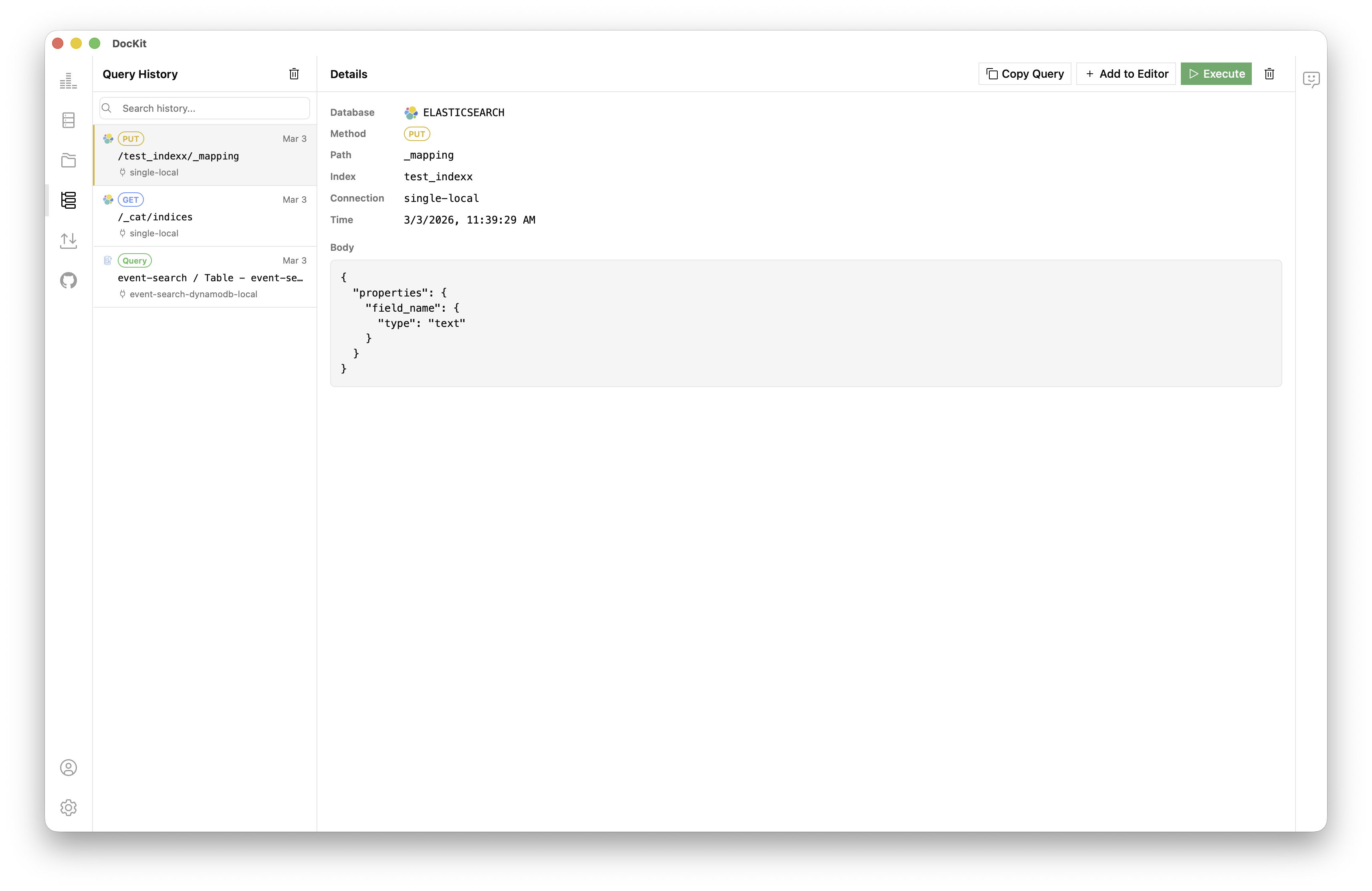
Multi-cluster support
Save multiple connection profiles to switch between dev, staging, and production clusters. It supports Basic Auth, API Keys, and client certificates.
 Elasticsearch
 OpenSearch
 DynamoDB
Comparison
| DocKit | Kibana | Elasticvue | Dejavu | |
|---|---|---|---|---|
| Platform | Desktop (native) | Web (browser) | Web / extension | Web |
| Startup | < 2 s | 10–30 s | < 5 s | < 5 s |
| RAM | ~150 MB | 500 MB+ | ~200 MB | ~150 MB |
| Dev Tools editor | Monaco + JSON5 | Basic | Basic | None |
| AI assistant | Yes | No | No | No |
| Offline mode | Yes | No | No | No |
| Query persistence | Local files | Saved queries | No | No |
| DynamoDB support | Yes | No | No | No |
| OpenSearch support | Yes | No | No | No |
| Open source | Apache 2.0 | Mixed | MIT | Yes |
| Price | Community: free · Ultimate $9.9/mo | Free (Basic) | Free | Free |
Version compatibility
DocKit uses the standard Elasticsearch REST API and works with versions 1.x through 9.x. This includes both Apache 2.0 and Elastic License distributions.
Quick start
- Download DocKit for macOS, Windows, or Linux.
- Create a new Elasticsearch connection.
- Enter your host, port, and credentials.
- Connect to see indices in the sidebar.
- Use Dev Tools to write queries.
See the connection guide for more details.
FAQ
Is DocKit a Kibana replacement? It replaces Kibana for query development and index management. It does not include visualizations or dashboards.
Does it support Elasticsearch 9.x? Yes.
Where is data stored? Credentials and history are stored on your local filesystem.
Is OpenSearch supported? Yes. DocKit supports OpenSearch and DynamoDB. See the OpenSearch page.
→ DocKit full feature overview · Elasticsearch AI assistant guide · Elasticsearch query workflows guide