
Elasticsearch has been around since 2010. The GUI tools that grew around it have had mixed fates — some are still shipping releases, some peaked years ago and nobody told the GitHub stars. Cerebro: last release 2021. Elasticsearch Head: 2018. ElasticHQ: 2019. They still rank in search. They're not really options for a new setup.
This guide covers the 5 GUI clients worth considering in 2026 — DocKit, Kibana, Elasticvue, Elastron, and Elasticsearch Head — and is honest about which ones are still alive.

Quick comparison
| Tool | Price | Platform | Best for | Open source |
|---|---|---|---|---|
| DocKit | Community: free · Ultimate $9.9/mo | Mac, Win, Linux | Multi-engine teams, AI-assisted querying | ✅ Apache 2.0 |
| Kibana | Free / Paid | Web (requires ES cluster) | Dashboards, production monitoring | ❌ Elastic License |
| Elasticvue | Free | Web, browser extension, desktop | Lightweight ES browsing | ✅ MIT |
| Elastron | Free | Mac, Win, Linux | Native desktop, cluster monitoring | ✅ MIT |
| Elasticsearch Head | Free | Browser (legacy plugin) | Classic cluster topology view | ✅ Apache 2.0 |
1. DocKit
Free, open source. Handles Elasticsearch, OpenSearch, and DynamoDB in one app — useful if your stack isn't just ES. Built on Tauri/Rust: ~33 MB installer, 100-200 MB memory at runtime.
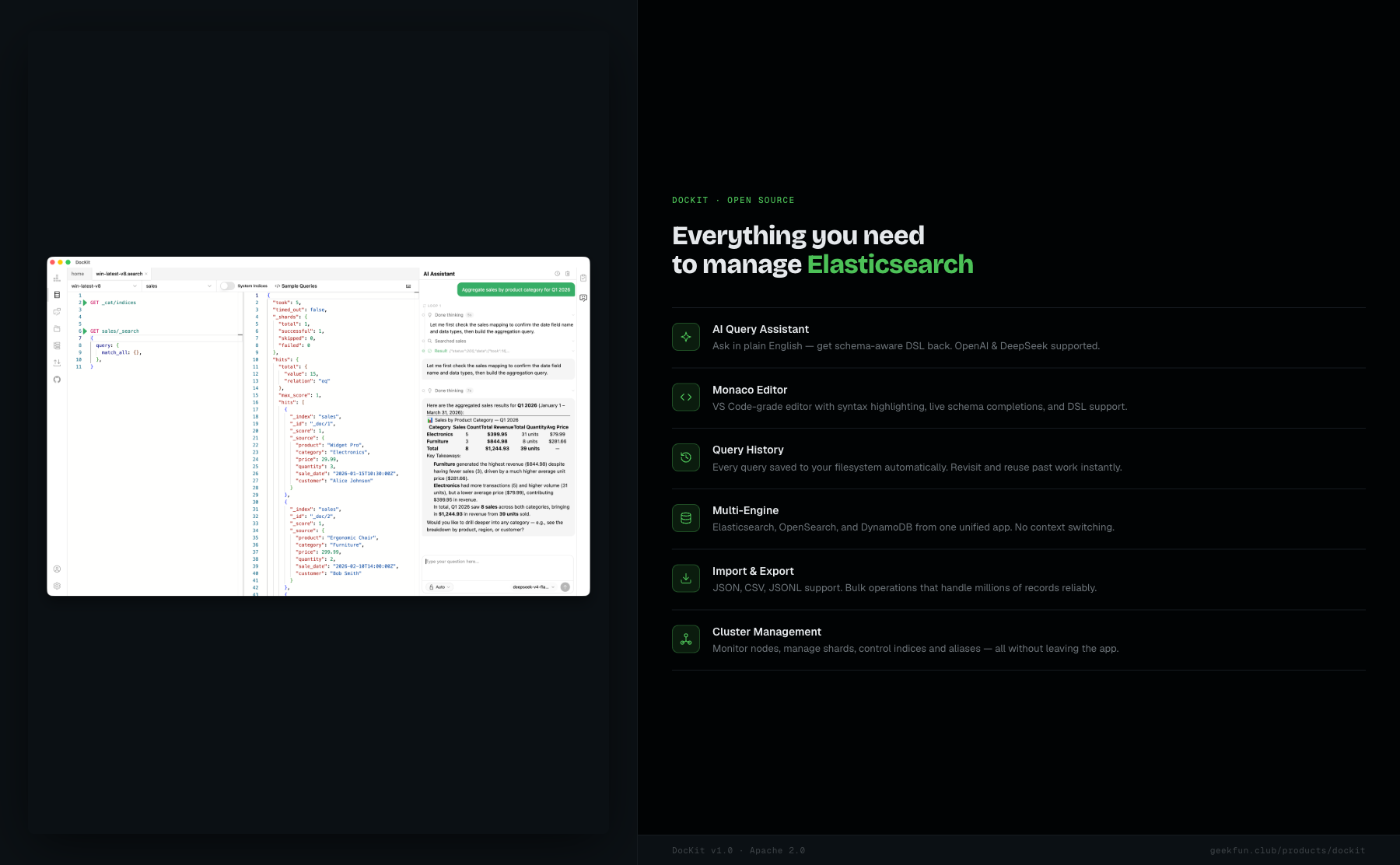
- Full DSL editor built on Monaco (the VS Code editor engine) with syntax highlighting and autocomplete
- AI query assistant — describe what you want in plain English, get a query back
- Cluster management: health, nodes, shards, indices, templates
- Index and alias management through the UI
- Multi-server connections — multiple ES clusters open at once
- Queries saved locally, no telemetry, works offline
Pricing: Community: free (Apache 2.0) · Ultimate $9.9/mo.
Activity: 1K+ GitHub stars, 30 releases. v1.0.1 dropped May 11, 2026.
Good: free Community edition, multi-engine, lightweight, offline-capable, AI querying with the Ultimate subscription.
Not great: newer project, no team sharing features, UI is practical rather than polished.
Best for: developers managing more than one database type, anyone who wants AI-assisted querying with a bring-your-own-LLM setup.
Download DocKit | Read the Elasticsearch GUI guide
2. Kibana
The official Elastic platform. Free on the Basic tier, paid above that. It's the most complete tool here for dashboards and production monitoring — but it runs as a web service alongside your cluster, not as a local desktop app.
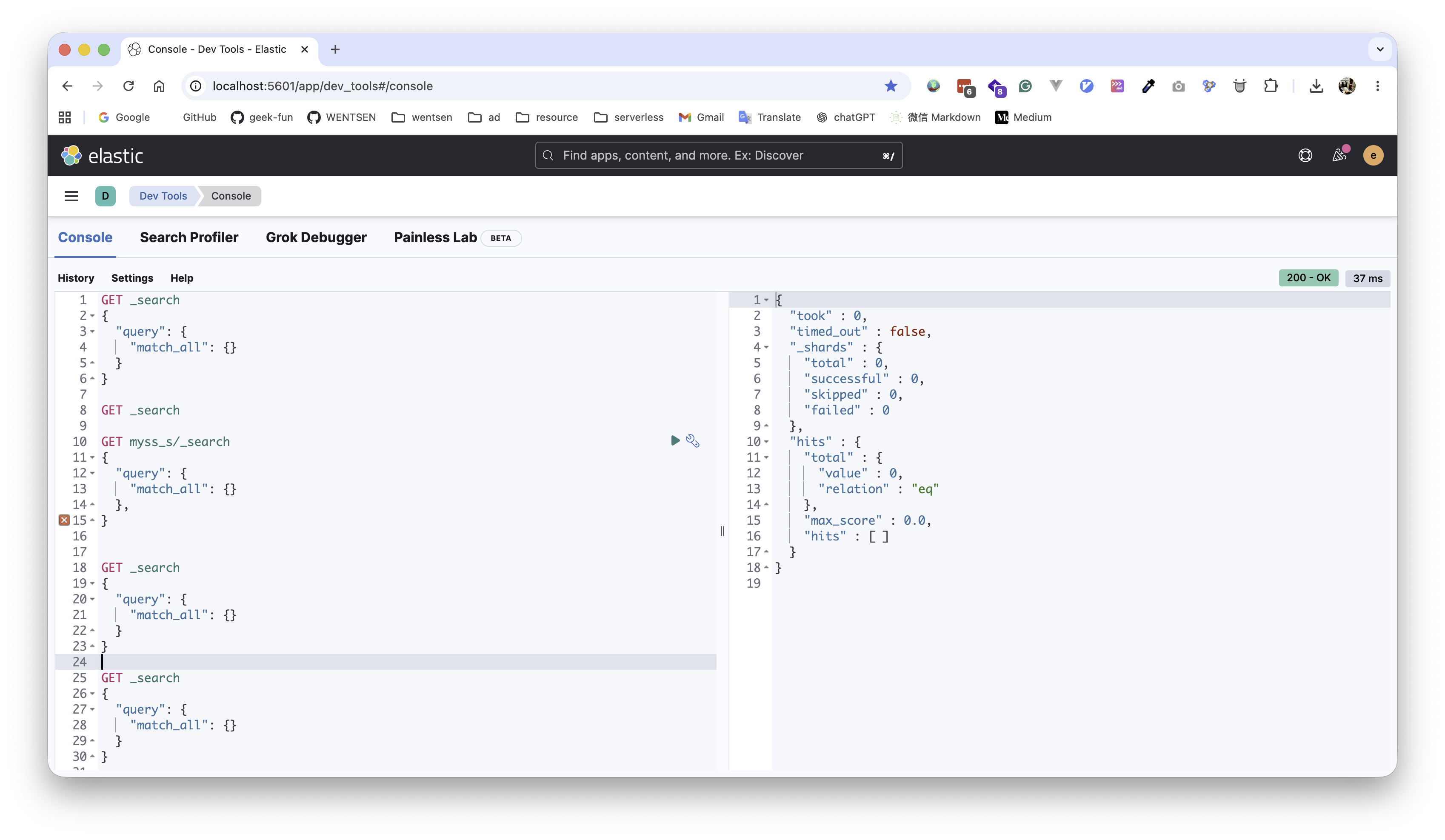
- Visualization: bar charts, maps, graphs, custom dashboards
- Discover: real-time log exploration and ad-hoc queries
- Alerting and monitoring
- Stack management: index lifecycle, snapshots, transforms
- Built-in AI assistant for query generation
Pricing: Free (Basic). Enterprise features require a subscription.
Activity: v9.4.1, May 12, 2026. Elastic ships continuously.
Good: most complete ES platform, official support, best dashboarding in the category.
Not great: heavy resource use, no offline mode, Elastic License (not OSI-approved), annoying to self-host.
Best for: production monitoring and dashboards. Pair it with DocKit for daily querying — you don't want to live in Kibana's query editor.
3. Elasticvue
Lightweight open-source web UI. Runs as a self-hosted web app, a browser extension, or a desktop wrapper. No backend to run. MIT licensed.
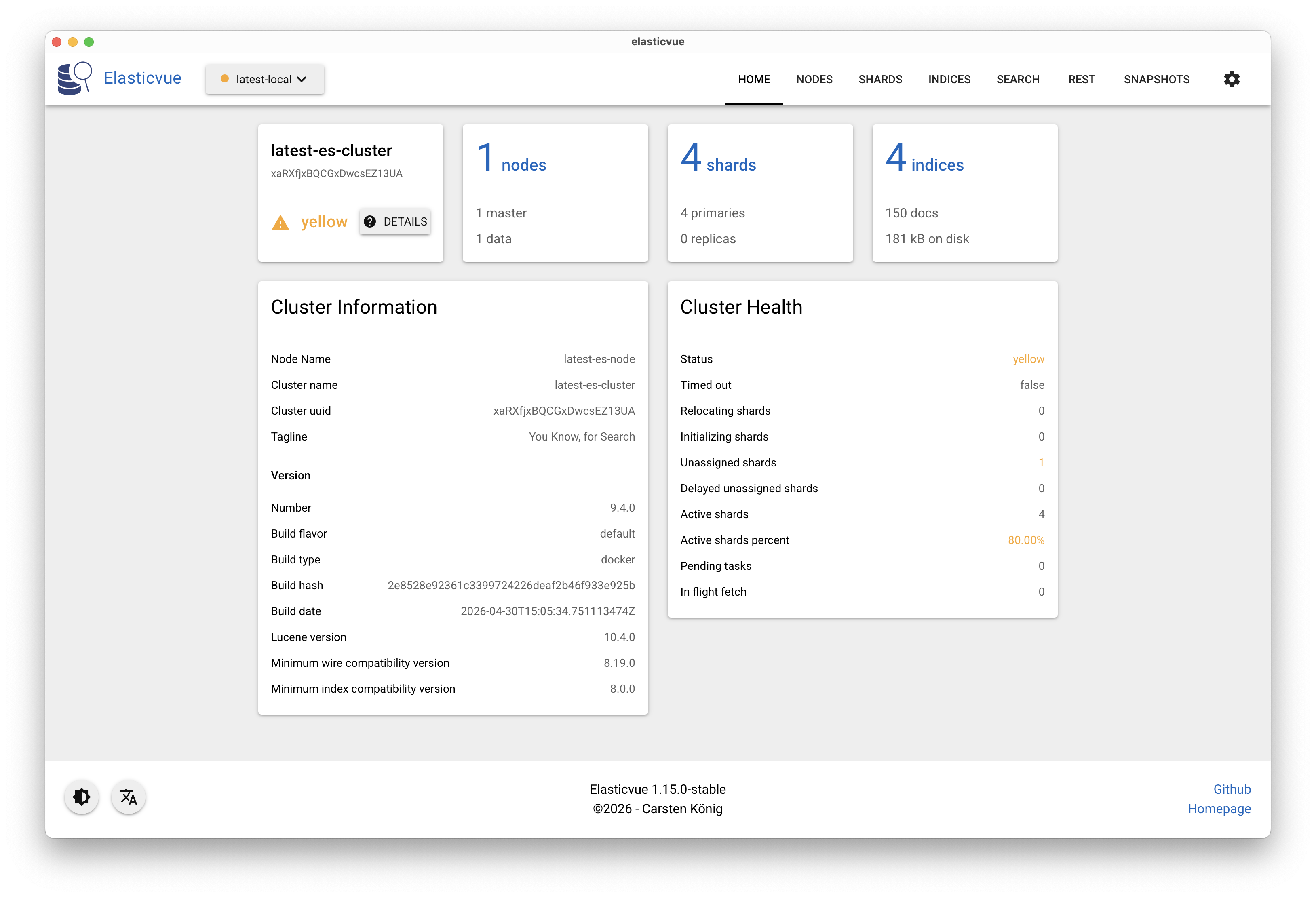
- Index management: create, delete, configure
- Document browsing: search, filter, edit
- Cluster overview: health, nodes, shards
- REST console for raw queries
- Multiple deployment options: browser extension, Docker, standalone
Pricing: Free (MIT).
Activity: v1.15.0, May 12, 2026.
Good: lightweight, open source, flexible — the browser extension is handy for quick cluster checks without installing anything.
Not great: the DSL editor is bare-bones — no autocomplete, no syntax highlighting, just a raw textarea. The Material Design look is polarizing; if you spend hours in it daily, it can wear on you. ES-only, no AI features.
Best for: quick cluster monitoring and browsing from a browser tab. Don't expect it to replace a proper querying tool.
4. Elastron
Free, open-source desktop app for Elasticsearch. Built on Electron with a focus on monitoring and query workflow. Supports ES 8.x and 9.x.
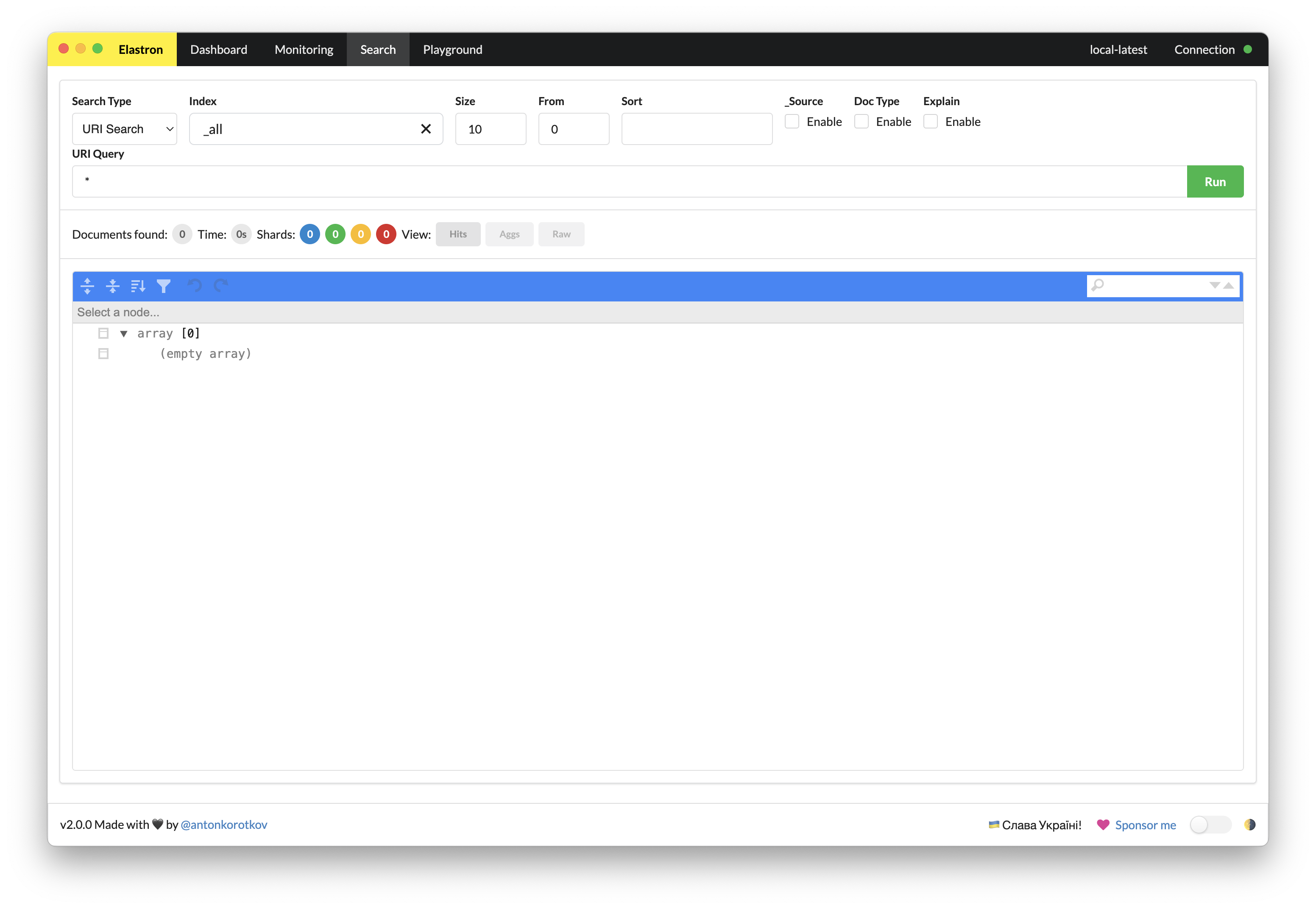
- Live cluster monitoring: health, node/shard layout, throughput, latency
- Search with query profiling — compose queries, then explain or profile them to find bottlenecks
- Edit mappings, browse documents, tweak index settings without touching curl
- API Playground: full control over method, path, body, and headers
- Dark-first UI with light mode available
- Multi-window: open separate clusters side by side
Pricing: Free (MIT).
Activity: v2.0.0, April 30, 2026.
Good: query profiling, multi-window, your credentials and queries stay on your machine.
Not great: Electron with poor optimization means a 500 MB+ installer, slow startup, and memory usage that climbs under load. The query editor is raw — no autocomplete, no schema-aware suggestions. ES-only, smaller community than Kibana or Elasticvue.
Best for: developers who need query profiling and can live with the Electron overhead.
5. Elasticsearch Head
9.5k GitHub stars. Web front end for browsing ES clusters, originally built as a plugin. Last release was 2018 and it's been quiet since.
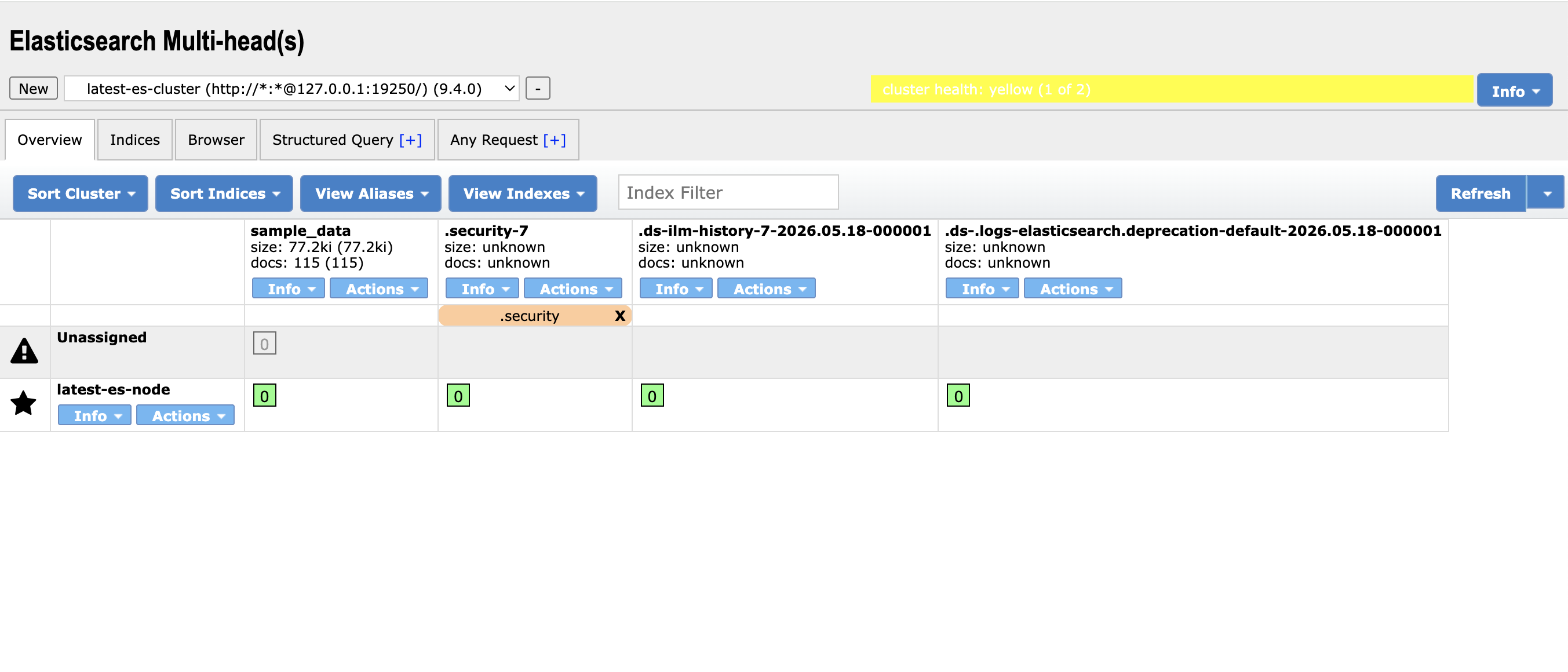
- Cluster topology view: nodes, shards, index allocation
- Query builder and raw JSON interface
- Document browser
- REST console
Pricing: Free (Apache 2.0).
Activity: Last release 2018. Unmaintained.
Good: cluster topology visualization still works, which is why it has lingered.
Not great: built for low-resolution screens and hasn't been touched since — the UI breaks or looks cramped on any modern display. No API key auth, no TLS support, no development since 2018. Not worth setting up in 2026.
Best for: nothing new. If it's already running in a legacy environment, fine — but don't install it fresh. Use DocKit, Elasticvue, or Elastron instead.
Feature comparison
| Feature | DocKit | Kibana | Elasticvue | Elastron | ES Head |
|---|---|---|---|---|---|
| DSL editor | ✅ Advanced | ✅ Advanced | ✅ Basic | ✅ Basic | ✅ Basic |
| AI assistant | ✅ | ✅ | ❌ | ❌ | ❌ |
| Multi-database | ✅ ES/OS/DDB | ❌ | ❌ | ❌ | ❌ |
| Cluster monitoring | ✅ | ✅ | ✅ | ✅ | ✅ |
| Query profiling | ❌ | ✅ | ❌ | ✅ | ❌ |
| Desktop app | ✅ | ❌ | ⚠️ Wrapper | ✅ | ❌ |
| Open source | ✅ | ❌ | ✅ | ✅ | ✅ |
| Active in 2026 | ✅ | ✅ | ✅ | ✅ | ❌ |
Which one should you pick?
- Also using OpenSearch or DynamoDB? DocKit is the only one that handles all three.
- Zero budget, need open source? DocKit, Elasticvue, or Elastron — all free, all OSI-licensed.
- Need production dashboards and alerting? Kibana. Then use DocKit for daily querying so you're not stuck in Kibana's query editor.
- Want something in a browser tab with no install? Elasticvue's browser extension.
- Need to debug slow queries? Elastron or Kibana both have query profiling.
FAQs
Can I run multiple tools at once?
Yes, and it's common. DocKit for daily querying, Kibana for dashboards and alerting, Elastron when you need to profile a slow query.
Which is fastest to use?
DocKit and Elastron — native desktop apps, no server to spin up. Kibana and Elasticvue both need a running web server. Elasticsearch Head is browser-only and shows its age.
Which is most secure?
DocKit and Elasticvue. Your credentials and query content stay on your machine. Cloud-syncing tools require trusting a third party with your cluster access.
Is Elasticsearch Head worth setting up in 2026?
No. If it's already running in your environment, fine — but don't set it up fresh. It doesn't support API key authentication or TLS, which are standard now.
Other tools worth knowing
Beyond GUI clients, a few more ES ecosystem tools come up regularly:
- Cerebro — 5.6k stars. Web admin UI. Last release 2021. Works for basic cluster management but hasn't been touched in years.
- DejaVu — 8.5k stars. ES data browser and UI builder. Last release September 2025. Stable, but development is slow.
- Elasticdump — 7k+ stars. The standard CLI for ES backup and migration. Still active.
- Testcontainers — Spins up disposable Docker containers for ES integration tests. Very active.
Last updated: May 2026.