
DocKit |NoSQL Database GUI Client
Connect MongoDB, Elasticsearch, OpenSearch, DynamoDB, and EasySearch with the free, open-source Community edition. Ultimate adds Agentic Data Studio and MCP for working with your data in natural language.
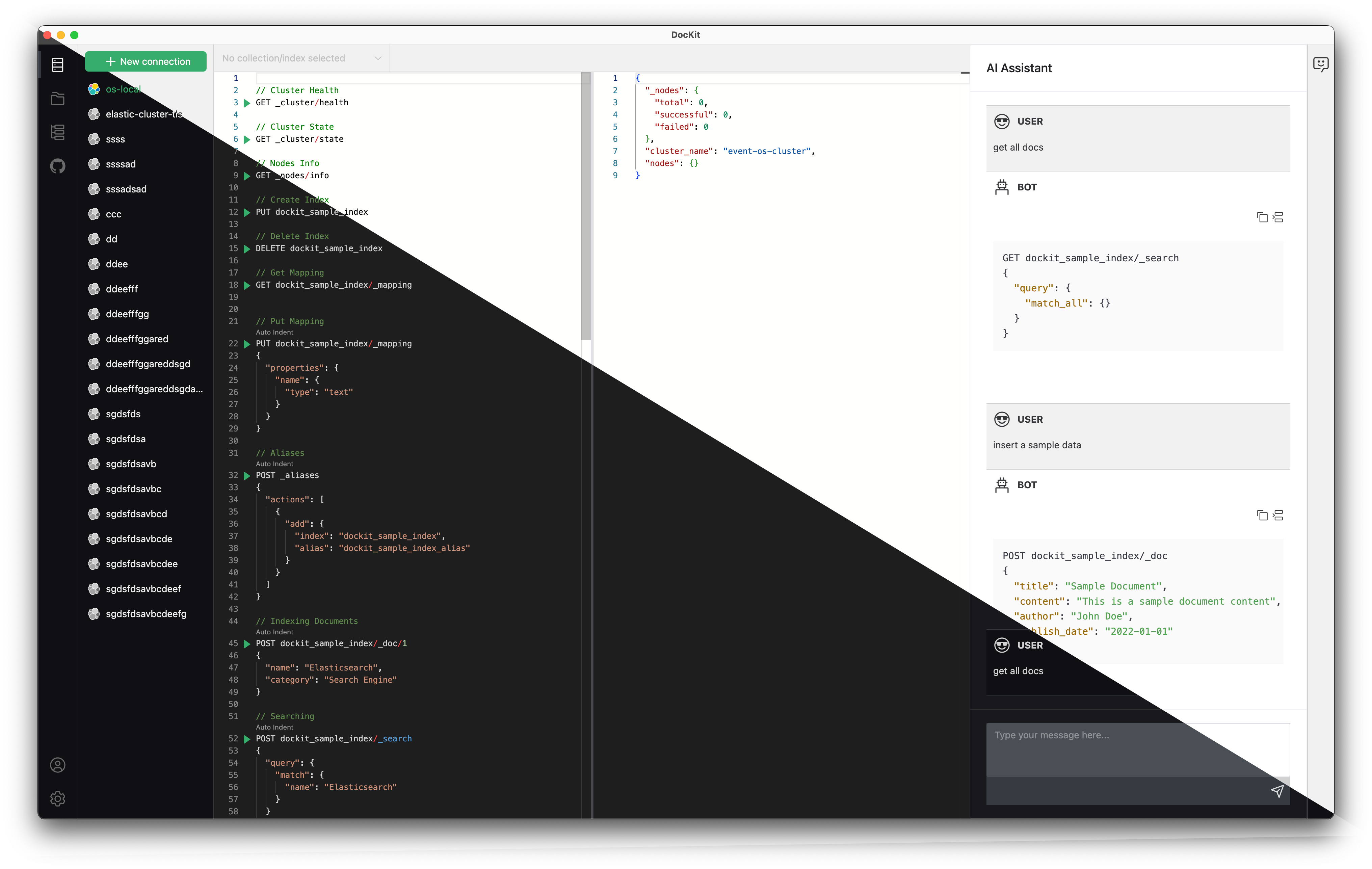
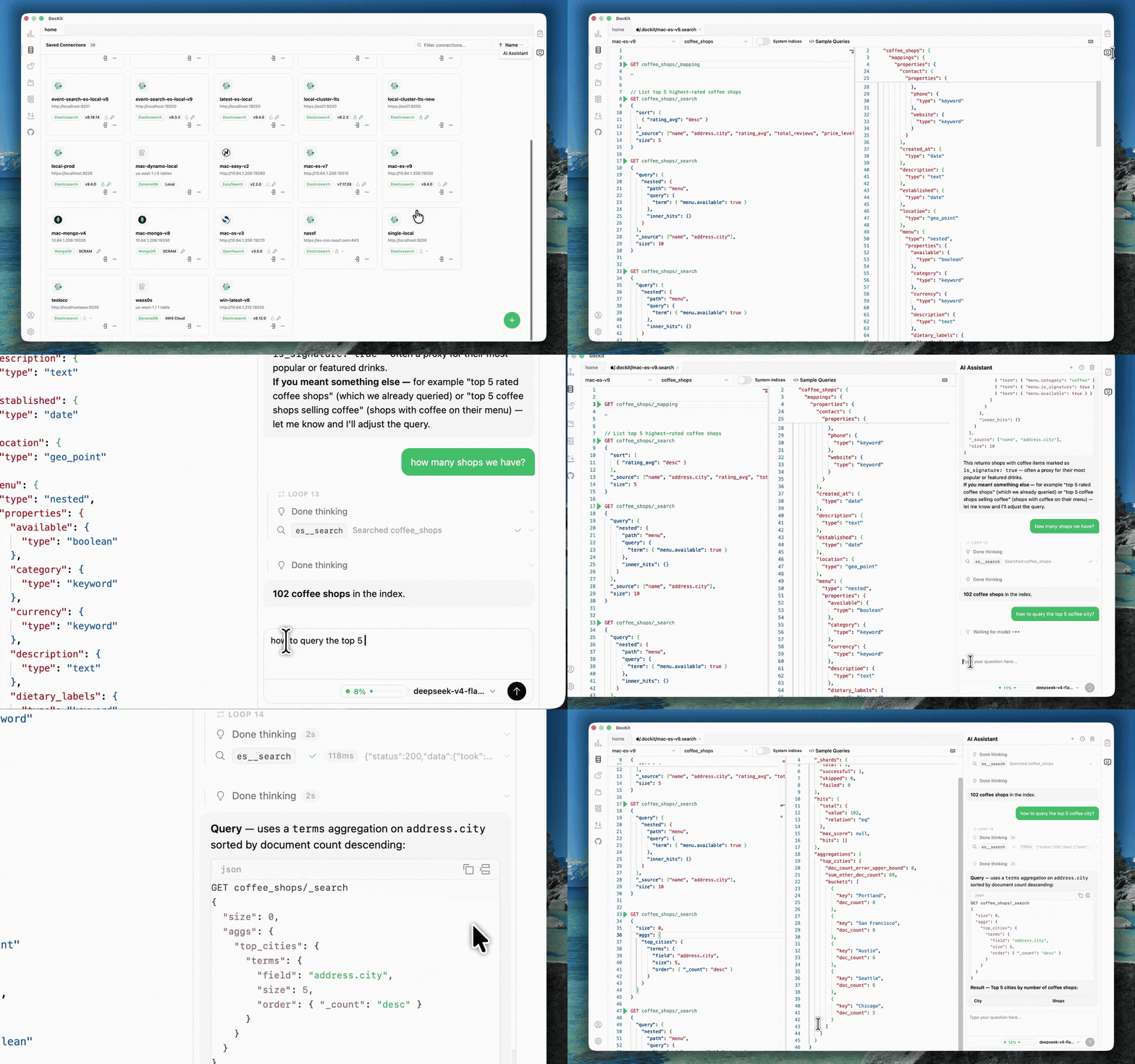
Agentic Data Studio
Talk to your databases in natural language. DocKit's data AI agent writes queries, inspects schemas, creates indexes, updates documents, and returns results — with per-source permissions and a safety gate for destructive actions. Ask 'find orders over $500 from last week' and get optimized queries instantly. Supports OpenAI, Anthropic, DeepSeek, plus Ollama and LM Studio for fully offline use.
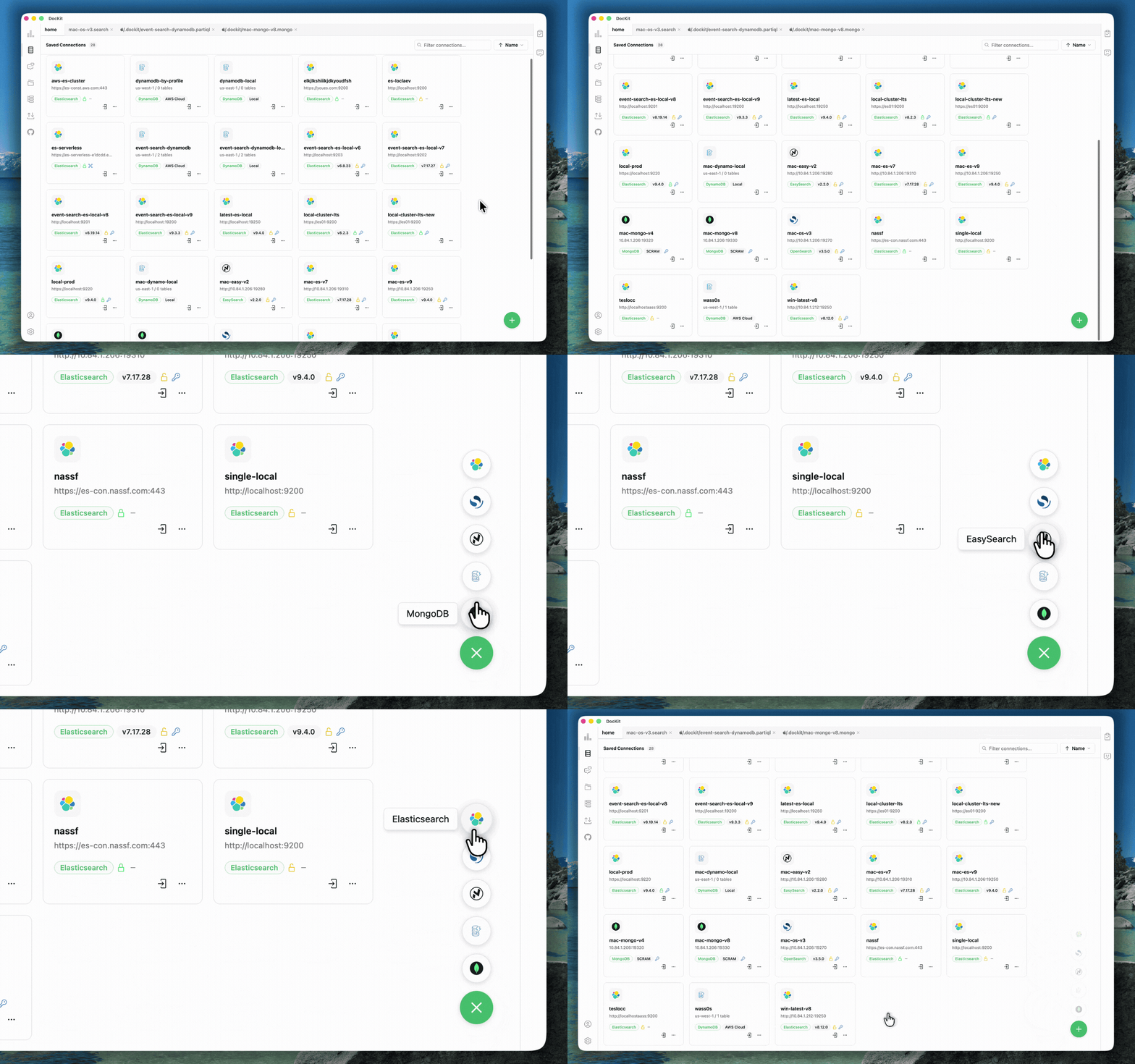
Multi-Database Data Management
Manage MongoDB, DynamoDB, Elasticsearch, OpenSearch, and EasySearch from one interface. In DynamoDB, run PartiQL or build visual queries with 12 filter operators, manage global secondary indexes, and configure point-in-time recovery (PITR).
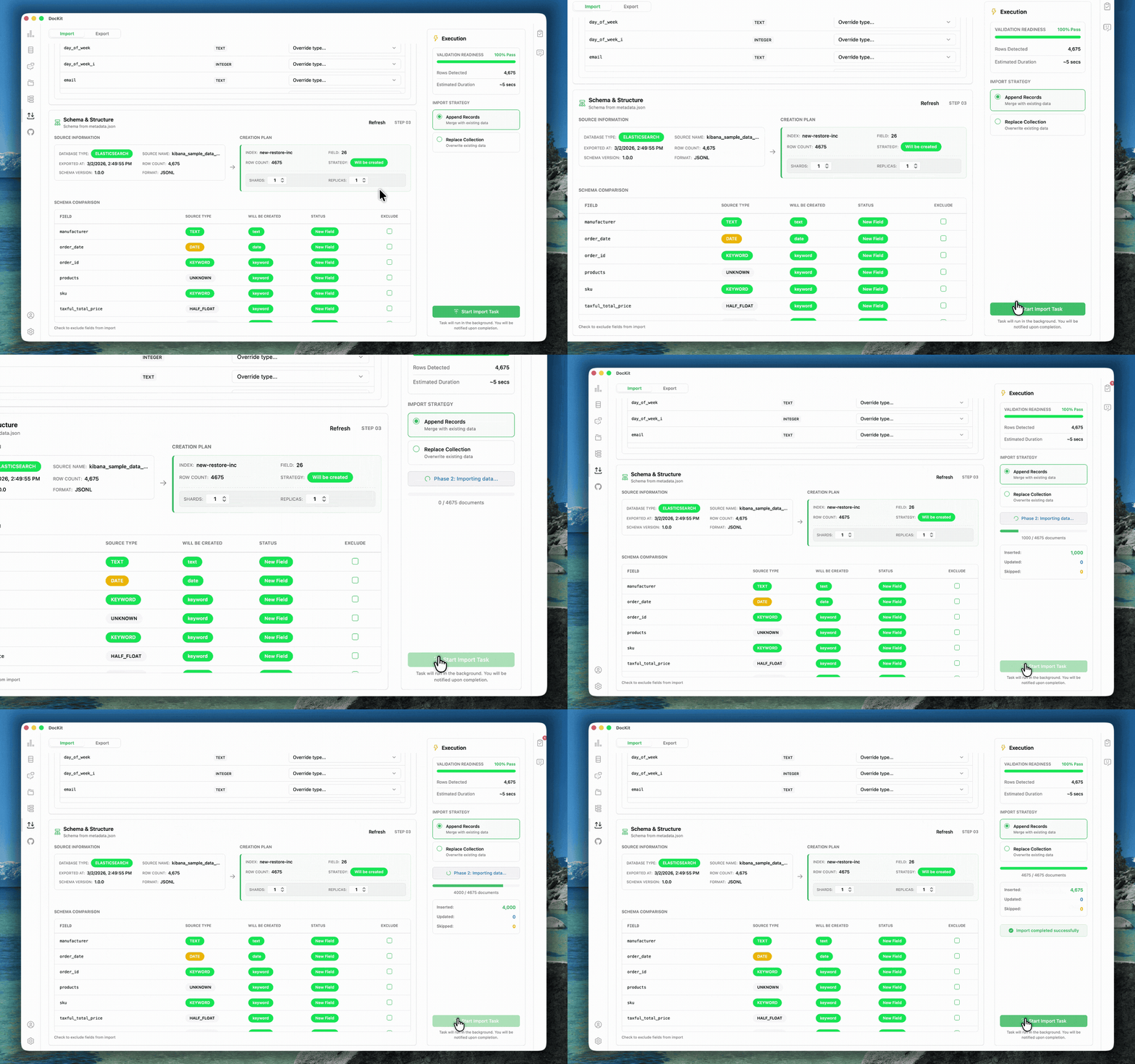
Import & Export
Import and export your data through an interactive interface. Pick your source and target, map fields visually, choose which fields to include, and let DocKit handle the rest — all running as background tasks with real-time progress. Supports JSON, CSV, and JSONL.
Local-First Privacy
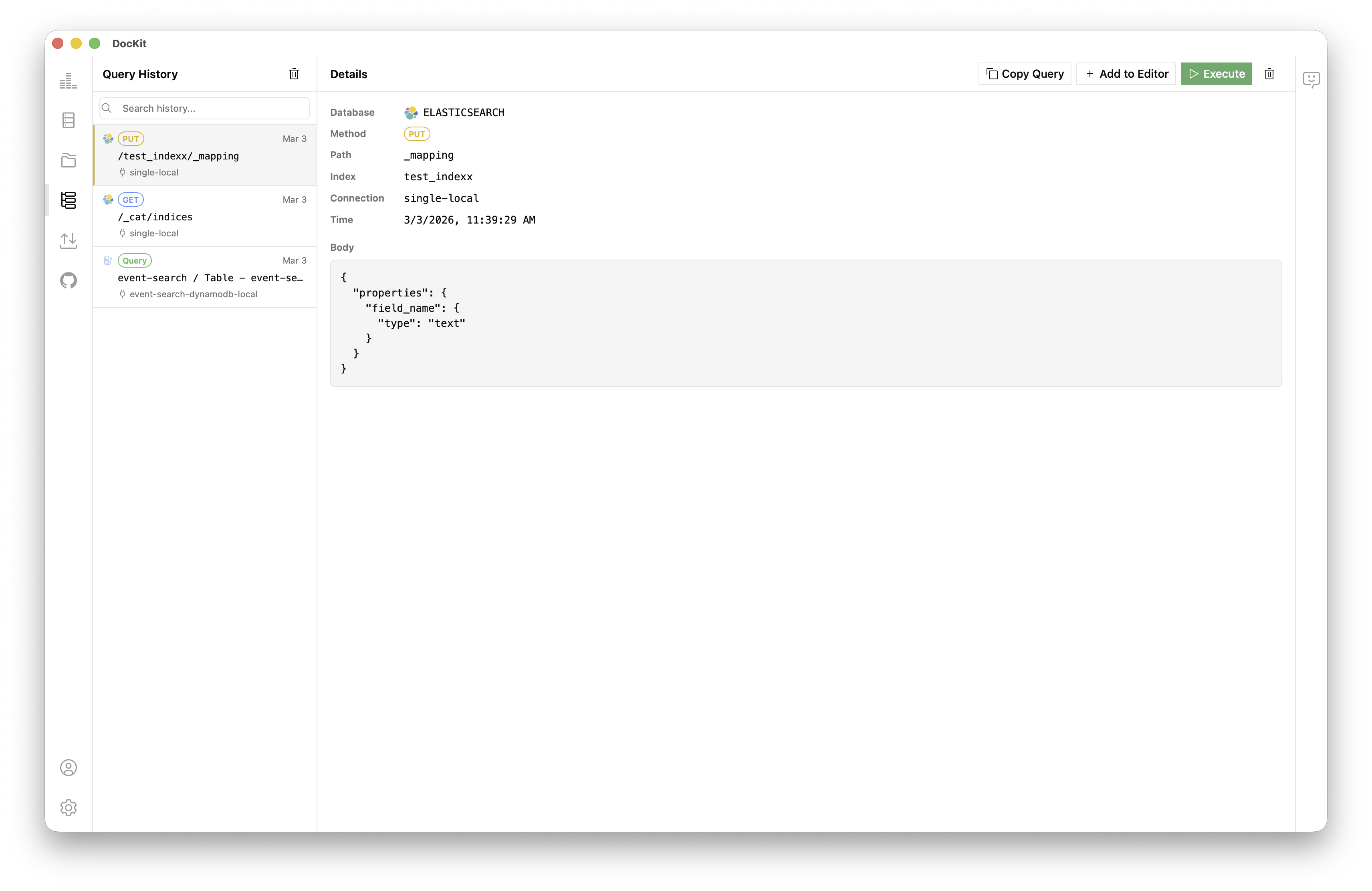
Tired of browser-based tools that lose your work when a tab refreshes? DocKit runs as a desktop app — credentials, queries, and LLM configs stay on your machine with no cloud dependency. Query history persists across sessions. Fully offline with Ollama and LM Studio.
Native support for modern NoSQL




Why DocKit for multi-database teams
Most teams don't use just one NoSQL database. A team running Elasticsearch for search plus DynamoDB for key-value workloads typically needs two separate tools — Kibana/Elasticvue for one, Dynobase/NoSQL Workbench for the other. DocKit covers all three in a single desktop app.
| DocKit | Kibana | Elasticvue | Dynobase | NoSQL Workbench | |
|---|---|---|---|---|---|
| MongoDB | ✅ | ❌ | ❌ | ❌ | ❌ |
| Elasticsearch | ✅ | ✅ | ✅ | ❌ | ❌ |
| OpenSearch | ✅ | ❌ | ✅ | ❌ | ❌ |
| EasySearch | ✅ | ❌ | ❌ | ❌ | ❌ |
| DynamoDB | ✅ | ❌ | ❌ | ✅ | ✅ |
| AI assistant | Included with Ultimate | ❌ | ❌ | Dynobase AI | ❌ |
| MCP | Included with Ultimate | — | — | Dynobase MCP server | — |
| Desktop native | ✅ | ❌ | Partial | ✅ | ✅ |
| Open source | ✅ Apache 2.0 | Mixed | ✅ MIT | ❌ | ❌ |
| Price | Community: free · Ultimate USD 9.90/mo | Free | Free | See pricing | Free |
Elasticsearch GUI Client
DocKit is a full-featured Elasticsearch GUI client built for engineers who spend real time in the query editor. It replaces Kibana's Dev Tools tab with a Monaco-powered editor that supports JSON5 syntax, inline comments, field autocomplete from your live mapping, and AI-assisted query generation. ES|QL completion is built in for the next-generation Elasticsearch query language.
Connect to any Elasticsearch cluster — local, self-hosted, or cloud — with Basic Auth or API Key. Browse indices, manage mappings and aliases, monitor cluster and shard health with detailed shard-level metrics (docs, store, fielddata, query cache, indexing rates, merge stats, segments), and import/export data in JSON, CSV, or JSONL (bulk format). A grammar catalog of 120+ Elasticsearch and OpenSearch API endpoints is available for reference. Queries persist as local files, so nothing is lost when you close the app.
→ Elasticsearch GUI client full details
OpenSearch GUI Client
DocKit is an open-source OpenSearch GUI client and desktop alternative to OpenSearch Dashboards for daily query work. It launches in under 2 seconds, uses ~150 MB RAM, and stores everything locally — no Dashboards instance required.
The same Monaco editor, AI assistant, cluster management, and import/export features work identically for OpenSearch 1.x, 2.x, and 3.x, including AWS OpenSearch Service clusters.
→ OpenSearch GUI client full details
DynamoDB GUI Client
DocKit is an open-source DynamoDB GUI client that replaces the AWS Console for day-to-day table work. It includes a PartiQL editor with schema-aware autocomplete, a visual query builder with 12 filter operators, inline item CRUD, pagination with configurable page sizes, and full table lifecycle management — global secondary index management, local secondary index visibility, TTL, streams, encryption, CloudWatch metrics, and table truncation. You can also configure DynamoDB point-in-time recovery (PITR) in table settings. AI-powered query generation with your actual attribute names injected as context, and import/export for JSON and CSV.
It supports DynamoDB Local for local development, AWS profiles, SSO, access keys, and IAM role authentication across any region.
→ DynamoDB GUI client full details
MongoDB GUI Client
DocKit is an open-source MongoDB GUI client with a full-featured query editor featuring autocomplete and result formatting. Browse documents with pagination and inline CRUD operations. The Manage view provides collection-level infrastructure browsing — indexes, storage stats, and metadata at a glance.
Connect with authentication, TLS, and replica set configurations. Bulk write support for efficient batch operations. Query history with star/bookmark favorites, persisted per connection. Import and export collections in JSON, CSV, and JSONL.
→ MongoDB queries and documents
EasySearch Support
DocKit natively supports EasySearch as a dedicated connection type alongside Elasticsearch and OpenSearch. EasySearch is split from OpenSearch with independent configuration and iconography, making it straightforward to manage all your search engines from one interface.
Agentic Data Studio
DocKit's Agentic Data Studio lets you interact with your databases through natural language. Describe what you need — the agent writes queries, inspects schemas, updates documents, deletes records, creates indexes, and returns results. Every operation runs through validated tools with built-in safety: fine-grained per-source permissions, a security gate requiring explicit confirmation before destructive actions, and a credential-safe architecture that never exposes connection secrets to the LLM. Supports OpenAI, Anthropic, DeepSeek, plus Ollama and LM Studio for fully offline use.
Frequently asked questions
Does DocKit work offline? Yes. All connections, queries, and history are stored locally. The AI assistant and Agentic Data Studio require an internet connection only when you send a prompt.
Does DocKit support MongoDB? Yes. DocKit fully supports MongoDB with connection management, a query editor with autocomplete, document browser with inline CRUD, Manage view for indexes and collection metadata, bulk write, query history with star/bookmark support, and import/export. EasySearch is also supported as a dedicated connection type.
Is there a web version? No. DocKit is a desktop application for macOS, Windows, and Linux. This is intentional — local-first storage, no cloud dependency, no login required.
What about Elasticsearch vs OpenSearch compatibility? DocKit auto-detects which engine you're connected to and adjusts API calls accordingly. The same connection form works for both.
Is DocKit open source? Yes — Apache 2.0 license. The full source is at github.com/geek-fun/dockit.
Is there a paid tier? Yes. The Community edition remains free and open source, while the paid Ultimate subscription (USD 9.90/month or USD 99.00/year, with a 7-day free trial) unlocks advanced capabilities such as the AI agent, MCP, and cluster management.
Do you also support SQL databases? DocKit is purpose-built for NoSQL databases. If you need PostgreSQL, MySQL, SQL Server, or SQLite support, check out SqlKit — our companion open-source SQL desktop client from the same team.



Database management, AI-native
Stop wrestling with complex query syntax. Let DocKit's AI assistant and Agentic Data Studio handle the boilerplate while you focus on the data.