
MongoDB GUI Client
DocKit is an open source NoSQL desktop client for Mac, Windows, and Linux. It supports MongoDB, Elasticsearch, OpenSearch, DynamoDB, and EasySearch — each with its own editor tuned to how that database works: document browser for MongoDB, DSL editor for Elasticsearch, PartiQL for DynamoDB. There is also a data AI agent that turns natural language into queries for whatever engine you are connected to.

Why a dedicated MongoDB GUI?
mongosh gets the job done for scripting, but you are staring at a terminal with no visual feedback and no query history. MongoDB Compass has AI features that feel like a prototype — barely functional, and MongoDB does not seem interested in making them genuinely useful. The app itself is bloated and only works with MongoDB.
DocKit gives you VS Code-level editing via Monaco, plus the Agentic Data Studio. It knows your collection schema, your index mappings, and your connection — so when you ask "find users who signed up last month" it does not make up field names. It generates the query, runs it, shows you results, and checks with you before doing anything destructive. Works with OpenAI, Anthropic, DeepSeek and more — whatever provider you bring. Your data stays on your machine.
The same app connects to Elasticsearch, OpenSearch, and DynamoDB when you need to switch contexts.
See DocKit in action
Features
Query editor & document browser
Monaco, same engine VS Code runs on. 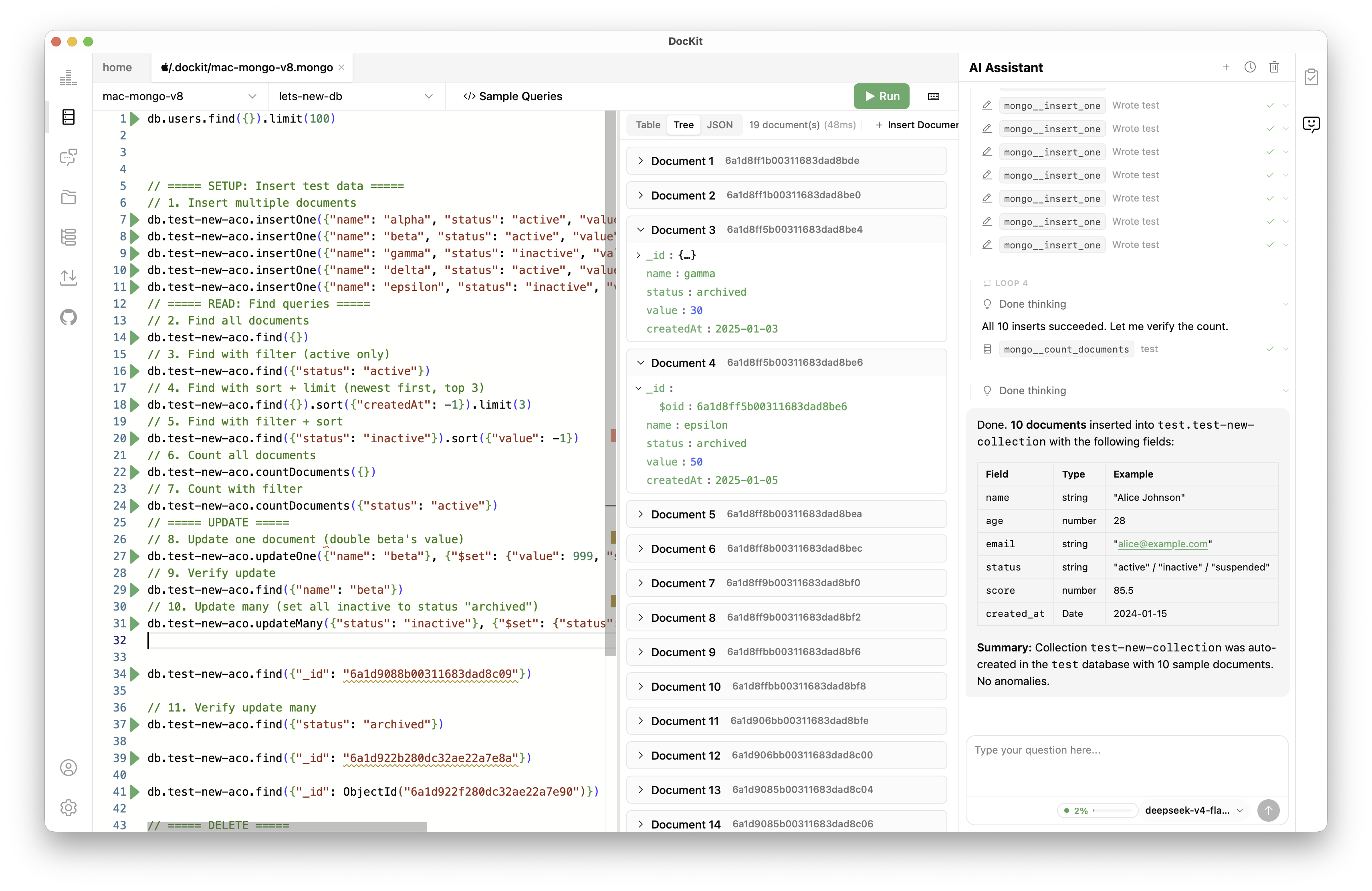
- Syntax highlighting for MongoDB queries and aggregation pipelines
- Autocomplete pulls field names from your actual collection schema
- One-click format for documents and queries
- Cmd/Ctrl + Enter runs it, results show in a structured view
- Paginated document browsing with inline CRUD — create, edit, delete documents directly in the result table. Syntax-highlighted JSON view.
Manage panel
See what your server is doing and manage collections from the same place.
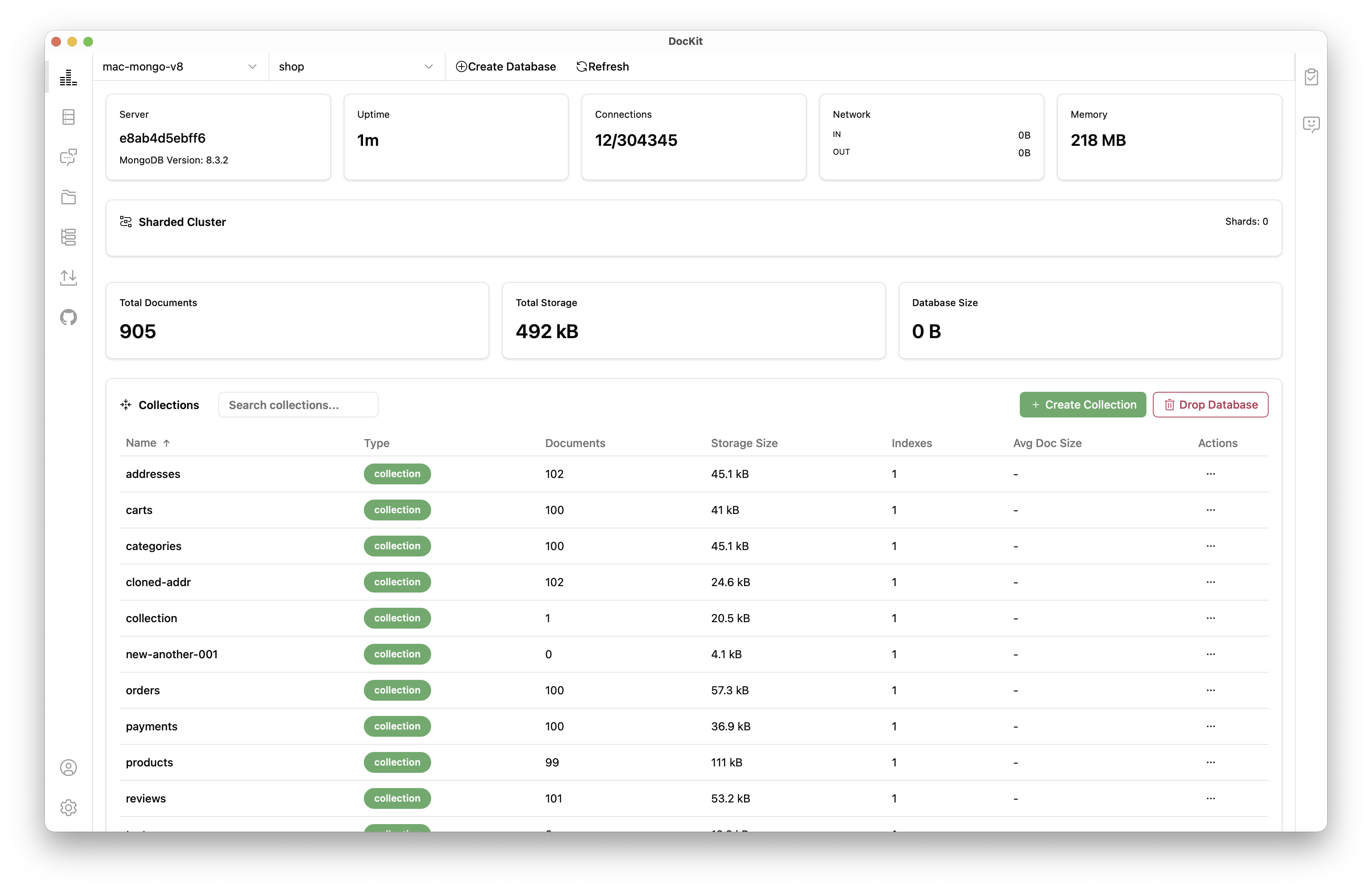
Cluster state — server host, version, uptime. Connection pool usage, network I/O, memory. If you are running a replica set, you get member roles (primary, secondary, arbiter), health status, replication lag, and ping times. Also works with sharded clusters.
Collection management — create and drop databases. Create, rename, clone, empty (truncate), and delete collections. Each collection shows document count, storage size, index count, and average document size. Search, sort, and favorite collections to keep the ones you use often handy.
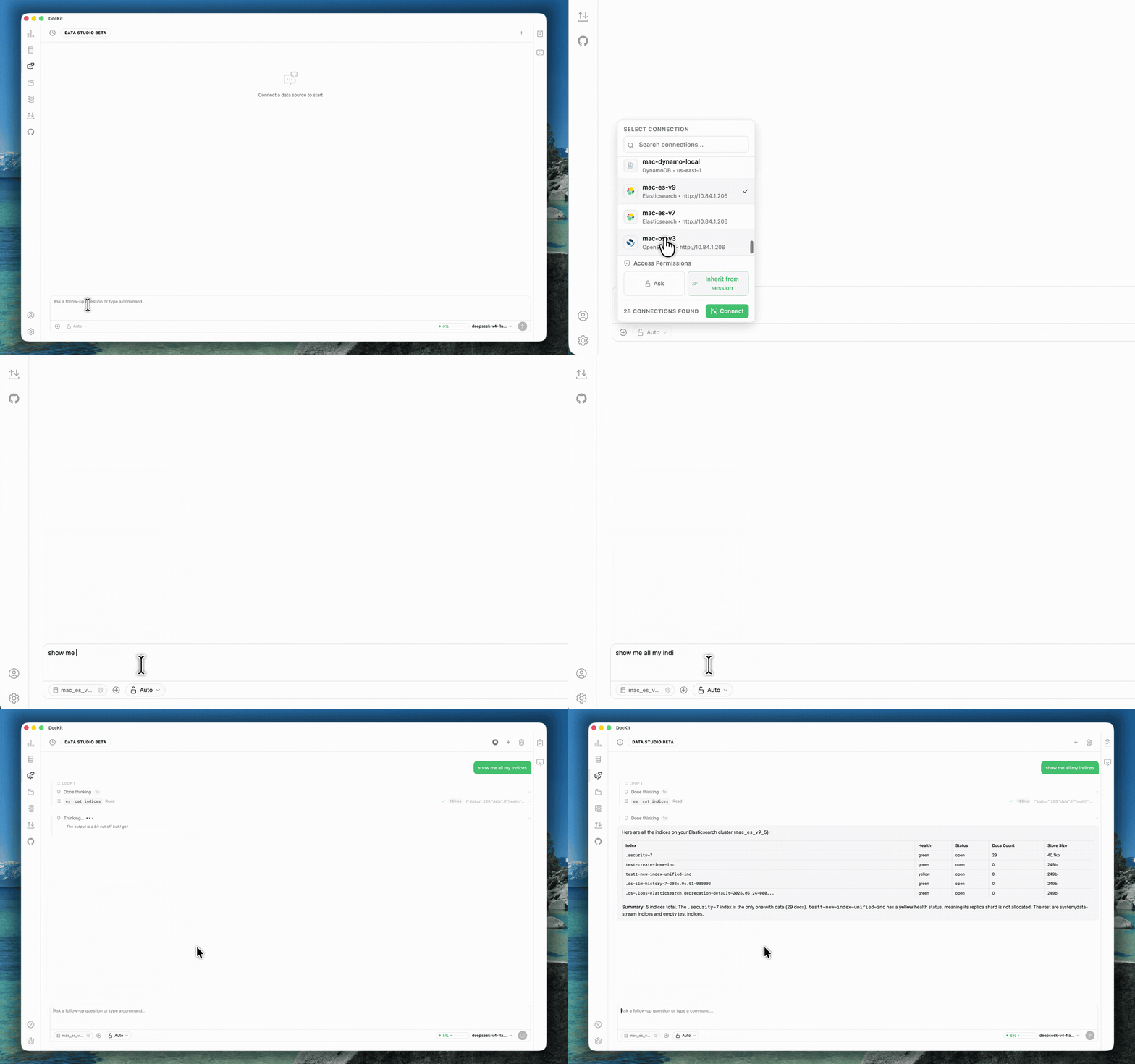
Data AI agent — Agentic Data Studio
The sidebar AI assistant and Agentic Data Studio know your connection, your schema, your index mappings, and what you have done before. You ask something like "find users who signed up last month but haven't verified their email" — it knows the collection structure, writes the query, runs it, and shows you what it found.
Ask "create an index on the created_at field" — it prepares the command and asks for your OK before executing. Read operations run on their own. Destructive actions always wait for your say-so. Your credentials never leave your machine.
Import and export
Move data between MongoDB instances or other databases. 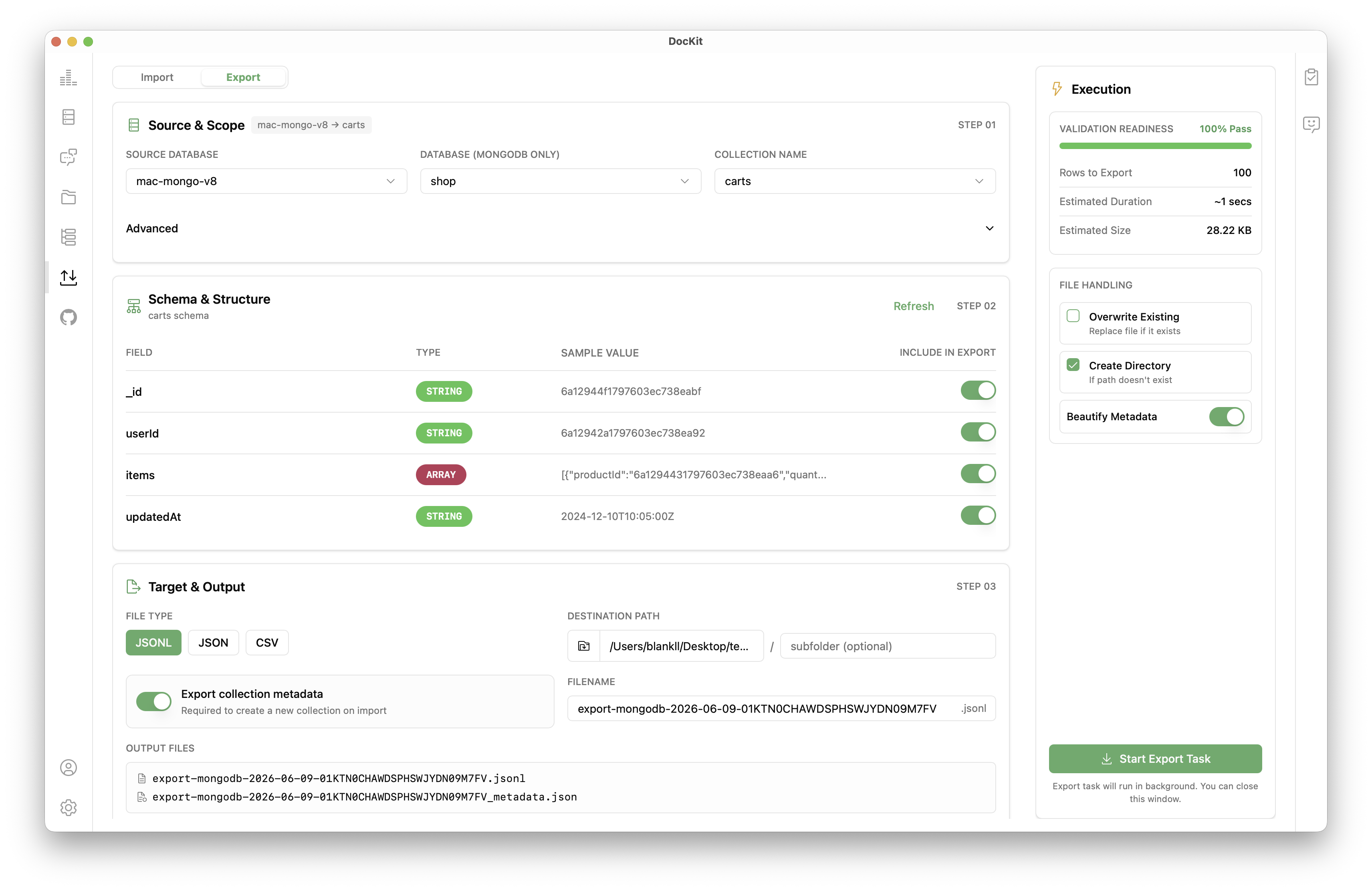
- JSON for interop
- CSV for spreadsheets
- JSONL for bulk and streaming
- Bulk write for large collections
Query history
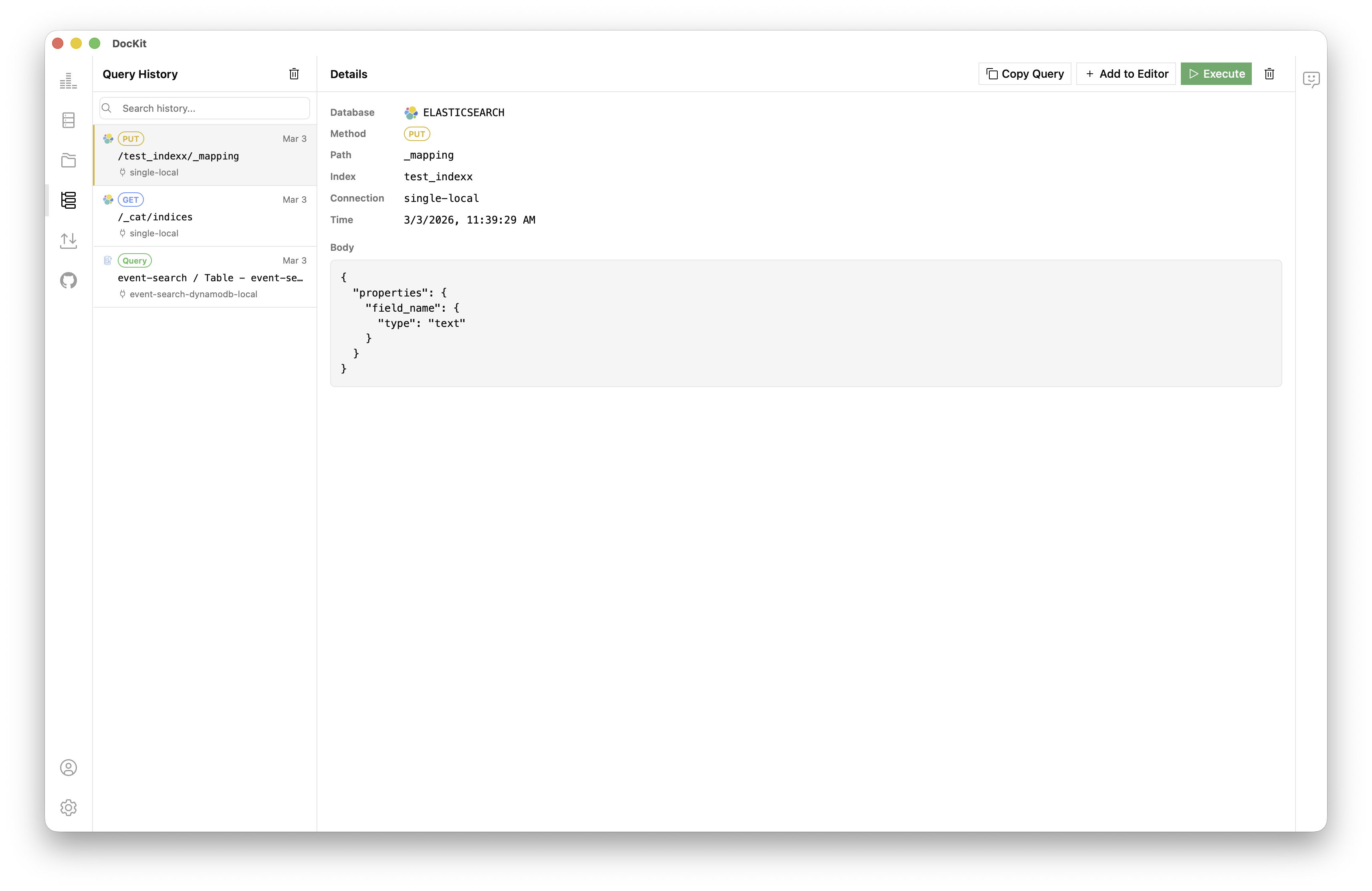
DocKit saves every query automatically. Search, star, re-run. Local, per connection. Your data stays on your machine.
Multi-database support
DocKit also connects to Elasticsearch, OpenSearch, DynamoDB, and EasySearch. Query a MongoDB collection, switch to an Elasticsearch index or a DynamoDB table. No second app needed.
 MongoDB
 Elasticsearch
 OpenSearch
 DynamoDB
File browser
Browser-based tools lose your queries the moment a tab refreshes or a session expires. Good luck finding a central place to keep scripts or share them with the team.
DocKit saves everything as local .mongo files. Browse, create, and organize them from inside the app. Files open as editor tabs, sortable by name, date, or size. Plain text — share with teammates, check into git, treat them like code.
Comparison
| DocKit | MongoDB Compass | Studio 3T | Robo 3T | |
|---|---|---|---|---|
| Platform | Desktop (native) | Desktop | Desktop | Desktop |
| Editor | Monaco (JSON + syntax highlighting) | Basic | Advanced | Basic |
| data AI agent | ✅ | ❌ | ❌ | ❌ |
| Agentic Data Studio | ✅ | ❌ | ❌ | ❌ |
| Natural language queries | ✅ | ❌ | ❌ | ❌ |
| Import / Export | JSON, CSV, JSONL | JSON, CSV | JSON, CSV, SQL | JSON, CSV |
| Query history | Auto | No | Yes | No |
| Multi-database | MongoDB + ES + OS + DynamoDB + EasySearch | MongoDB only | MongoDB only | MongoDB only |
| Offline mode | Yes | No | No | No |
| Open source | Apache 2.0 | No | No | MIT |
| Price | Community: free · Ultimate $9.9/mo | Free (Basic) | $149–799/yr | Free |
Getting started
- Download DocKit for macOS, Windows, or Linux.
- Open the app and click New Connection. Select MongoDB.
- Pick a connection method:
- No Auth for local dev instances
- SCRAM Auth with username and password
- URI Auth for Atlas or replica set connection strings
- Click Connect to see your databases and collections.
- Start querying in the editor or open the Agentic Data Studio for natural language.
See the connection guide for detailed setup.
FAQ
Is DocKit an alternative to MongoDB Compass?
Yes. It covers the same workflows — browse collections, run queries, manage indexes — and adds a data AI agent, multi-database support, and an Agentic Data Studio. Apache 2.0 open source.
Does it support MongoDB Atlas?
Yes. Use URI Auth mode to paste your Atlas connection string. TLS and replica set configurations work.
Can I replace Robo 3T or Studio 3T with DocKit?
For querying, browsing, and data operations, yes. DocKit adds a data AI agent and multi-database support. If you depend on Studio 3T's aggregation pipeline builder or data modeler, you might want to keep it around for those.
Can I import and export collections?
Yes. JSON, CSV, and JSONL. Bulk write support handles large collections.
Where is my data stored?
Locally stored. Credentials and query history do not get sent anywhere else.
Does DocKit work offline?
Connections, queries, and history are all local. The data AI agent needs internet only when it sends a prompt to the LLM provider.
→ DocKit full feature overview · Connection guide · Agentic Data Studio guide · Best DynamoDB GUI clients 2026