
Settings, themes & updates
Open Settings from the bottom of the left navigation rail to configure appearance, UI language, Monaco editor behavior, query defaults, AI and MCP settings, and Java/JDBC components.
Overview of the 6 Settings tabs
| Tab | What you configure | Edition |
|---|---|---|
| General | Theme (System, Dark, Light), UI Language (7 languages plus OS auto-detect), Account & Plan, About & Signed Auto-Updater | Community |
| Editor | Monaco font size, tab size, SQL formatter indent and line width, word wrap, line numbers, minimap | Community |
| Query | Default row limit, default query timeout, auto-save queries | Community |
| LLMs | 20 BYOK LLM provider presets, per-provider HTTP proxy, model sync, global system prompt, auto-compact, safety budgets | Ultimate |
| MCP Bridge | Embedded bridge status and restart, active clients, Claude/Codex/Cursor setup snippets, Default AI permissions | Ultimate |
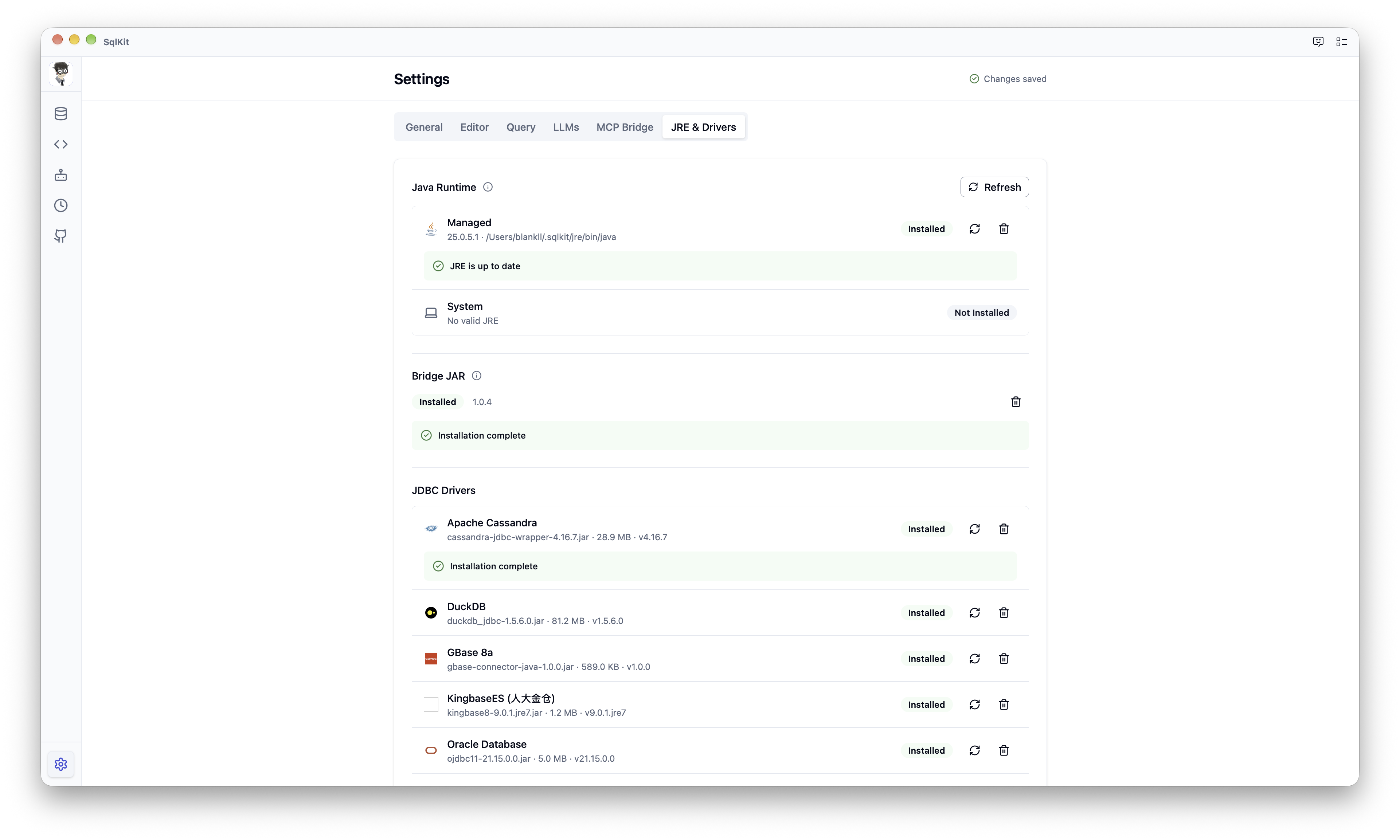
| JRE & Drivers | System JDK 25+ detection or managed Eclipse Temurin JRE 25, jdbc-bridge JAR, and all 27 JDBC drivers | Community |
General: themes, 7 UI languages & account
Themes
Pick System (tracks macOS, Windows, or Linux appearance), Dark, or Light using the preview cards. The Monaco SQL editor, data grid, and ER diagram canvas update immediately.
Supported UI languages (7 locales)
SqlKit detects your OS language by default. You can switch languages anytime under Settings → General → Language (applies to the main window and the system tray or menu bar menu):
- English (
en-US) - 简体中文 (
zh-CN) - 繁體中文 (
zh-TW) - Português (Brasil) (
pt-BR) - 日本語 (
ja-JP) - 한국어 (
ko-KR) - Español (
es-ES)
Account, Ultimate trial & version-lock guarantee
Under Account & Plan, sign in with your GEEKFUN account (authenticates in your browser and returns via sqlkit://auth) to activate a 7-day free trial or an Ultimate subscription.
Local version-lock fallback
SqlKit stores your subscription's version-lock horizon locally. Every version released on or before that horizon stays available on your machine even if you cancel your subscription later.
About & signed auto-updates
View the installed version, check GitHub Releases (latest.json) manually, watch download progress, and install signed updates with one restart. You can turn off automatic update checks if you manage upgrades manually or work offline.
Editor & Query preferences
Editor settings
| Setting | Range / options | Notes |
|---|---|---|
| Font Size | 8 to 32 px | Applies across all Monaco SQL tabs |
| Tab Size | 1 to 8 spaces | Controls editor indentation stops |
| Formatter Indent Width | 1 to 8 spaces | Used by Format SQL (Shift+Option/Alt+F) |
| Formatter Line Width | 40 to 200 chars | Target wrap width for formatted SQL |
| Word Wrap | On / Off | Wraps long SQL lines inside the viewport |
| Show Line Numbers | On / Off | Displays line numbers next to gutter play icons |
| Show Minimap | On / Off | Toggles Monaco's right-hand code overview minimap |
Query settings
| Setting | Range | Default | Notes |
|---|---|---|---|
| Default Row Limit | 10 to 10,000 | 1,000 | Caps returned rows when no explicit LIMIT is present |
| Query Timeout | 1 to 300 seconds | 30 s | Execution timeout (can be overridden per connection) |
| Auto-save Queries | On / Off | Off | Saves edits back to open .sql files automatically |
Desktop behavior, privacy & local storage
SqlKit collects no analytics, usage metrics, or crash telemetry, and database workflows work offline. It remembers window size, position, and maximized state across restarts. Closing the window hides the app to the macOS menu bar or Windows/Linux system tray so long-running transfers and the local MCP Bridge keep running; choose Quit from the tray menu to stop the app completely.
Local data paths:
- App data directory stores settings, saved connection metadata (
.store.dat), and Data Studio conversation history (agent.sqlite). - Managed Java runtime (when installed):
~/.sqlkit/jre - JDBC bridge JAR (when installed):
~/.sqlkit/jdbc-bridge/
Next steps
Complete reference for macOS, Windows, and Linux shortcuts.
How JRE 25 and the 27 JDBC drivers are managed on demand.