
Capabilities & feature tour
SqlKit splits daily database work across Connections, Queries, Transfer, and Data Studio. All 68 database profiles and core SQL editing are free in Community; SSH tunnels, ER diagrams, bulk transfer, AI, and MCP require Ultimate.
Connect to databases & networks
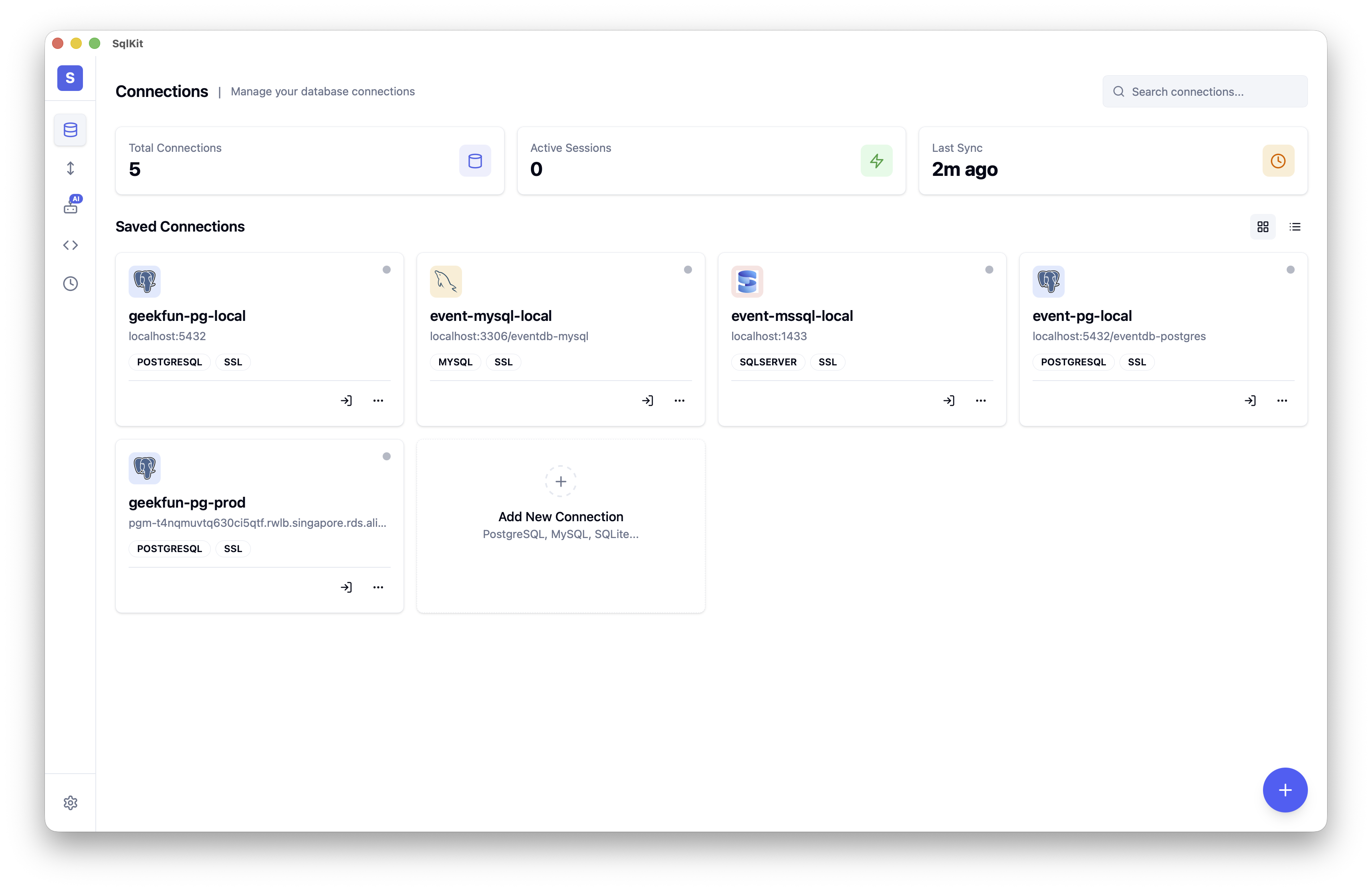
Open Connections to view saved database profiles in grid or list view, search by name, host, or engine, and check active connection status. Click + to add a profile.
- Connect to 68 database profiles across native Rust adapters (PostgreSQL, MySQL, SQL Server, SQLite, SQLCipher, ClickHouse), PostgreSQL/MySQL wire-compatible engines, HTTP SQL engines, and 27 JDBC Bridge engines.
- Choose from five SSL/TLS modes (
disable,prefer,require,verify-ca,verify-full) with custom CA certificates, client certificates, private keys, and SQL ServertrustServerCertificate. - Connection Guardian monitors connection health and replaces broken or stale transport sessions on demand without replaying write queries.
- Testing an Oracle, DuckDB, Snowflake, BigQuery, or Cassandra connection runs a live 3-step check for JRE 25,
jdbc-bridge, and the engine driver. - With Ultimate Ultimate, attach reusable SSH profiles, drag and drop to reorder multi-hop bastions, chain through the OS System HTTP CONNECT proxy, resolve
~/.ssh/confighost aliases, and authenticate with password, private key, SSH agent, or Windows Pageant.
Connections, TLS & recovery · SSH tunnels & jump chains
Write SQL & inspect execution plans
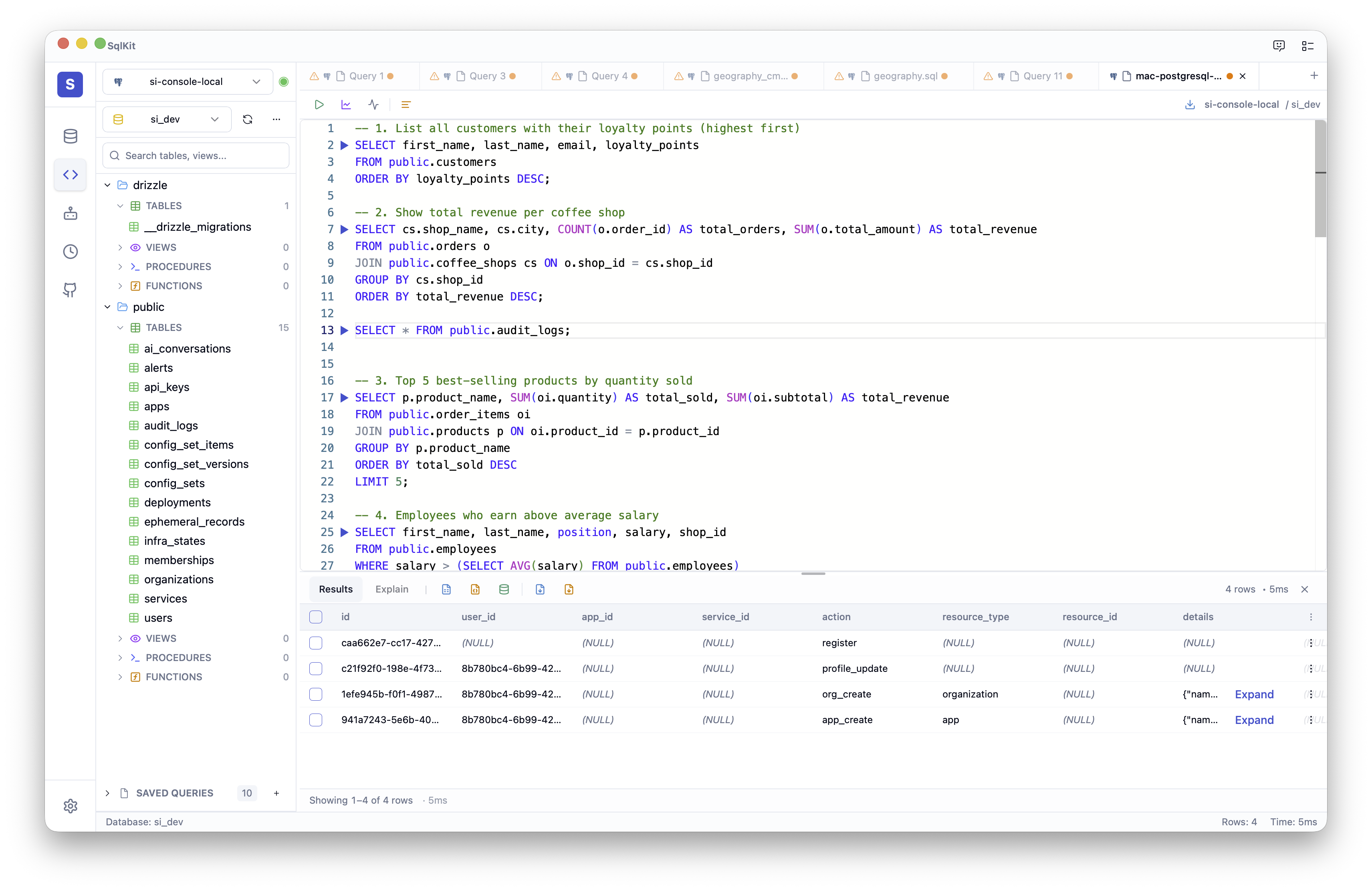
Open Queries for the database object tree, multi-tab Monaco Editor, Saved Queries panel, and bottom result grid in one window.
- Schema-aware autocomplete covers 6 SQL dialect profiles (
sql,mysql,pgsql,mssql,plsql,sqlite) and suggests tables, columns, schemas, functions, data types, and keywords. - SQL formatting supports 17 dialects via Shift+Option+F (macOS) or Shift+Alt+F (Windows/Linux), and formats either the current selection or the full script.
- Statement execution includes clickable gutter play icons, SQL and CQL statement splitting (including PostgreSQL
$$dollar quotes and CQLBEGIN ... APPLY BATCH), and a multi-result-set dropdown. - Press F6 for visual
EXPLAINandEXPLAIN ANALYZEwith three views: an interactive Tree View (showing total cost and the most expensive node), a Summary Table, and Raw Output. - Save
.sqlfiles locally (⌘+S / Ctrl+S), filter execution history by status, star favorites, and reopen any past run in a new tab.
SQL editor, plans & history · Keyboard shortcuts
Explore schemas, DDL & ER diagrams
Use the left sidebar object tree to browse databases, schemas, tables, views, stored procedures, and functions. The tree hides nodes an engine does not support.
- Each open table tab includes Schema (Columns), Indexes, Foreign Keys, and Triggers views with live item counts.
- The visual Create Table dialog supports column reordering, 27 SQL data types, length and precision,
NOT NULL, auto-increment, primary keys, defaults, MySQL storage engines, and a liveCREATE TABLEDDL preview. - View and copy
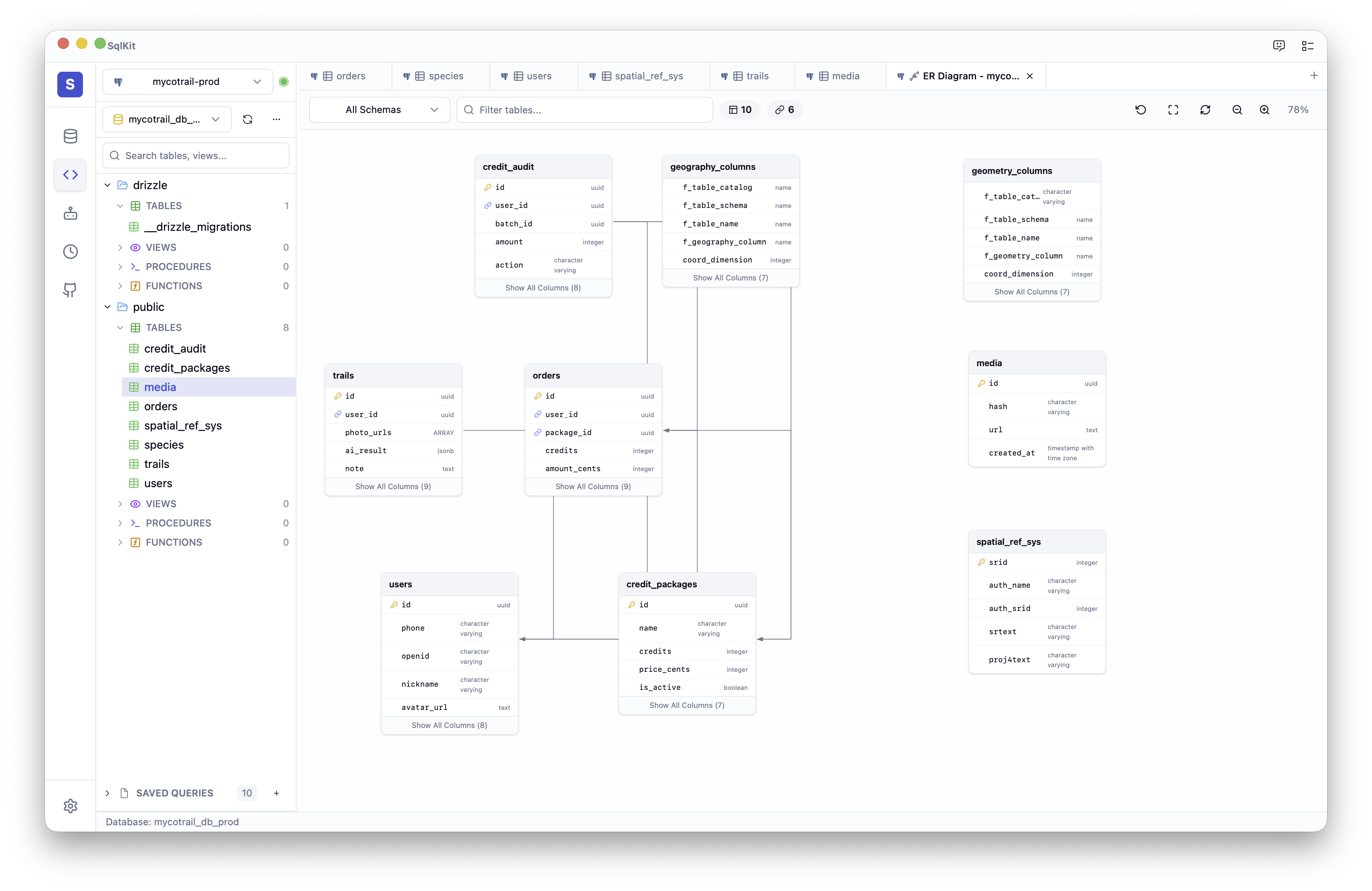
CREATEDDL for tables, views, procedures, and functions, or create and drop databases and schemas with engine-specific encoding and charset options. - With Ultimate Ultimate, open Show ER Diagram from any database or schema to graph live foreign-key links with
dagreauto-layout, drag-to-arrange cards, 10%-300% zoom and trackpad pinch, connected-table highlighting, schema filtering, and double-click to open tables.
Schema browser, DDL & ER diagrams
Browse, edit & transfer data
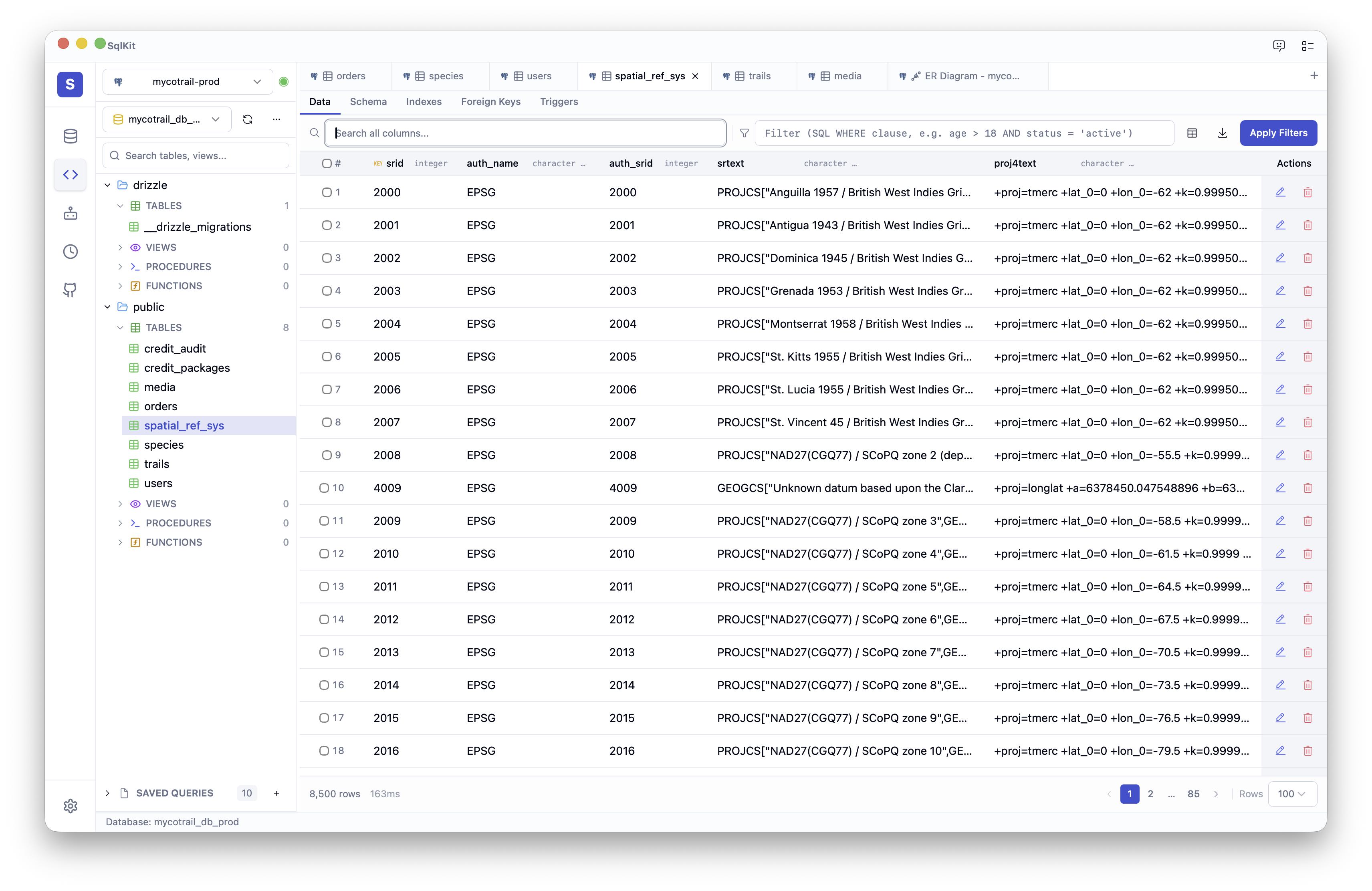
Double-click any table in the sidebar to inspect and edit rows, or open Transfer for file-based bulk imports and exports.
- The virtual-scrolled grid renders only visible rows and includes sticky headers, draggable column widths, column visibility toggles, and server-side pagination.
- Narrow rows with full-table debounced search, raw SQL
WHEREconditions, and backend column filter operators (=,≠,LIKE,≥,≤,BETWEEN) or right-click cell filtering. - Edit rows through the Edit Row dialog (with explicit
NULLcheckboxes and PK protection), duplicate rows, or batch-delete selected rows. Single-tableSELECTresults detect editability automatically so you can edit inside query tabs too. - Inspect nested fields in the vertical Row Details dialog or JSON Viewer, copy cells or rows as CSV, JSON, or SQL
INSERT, and export query results to disk. - With Ultimate Ultimate, Transfer runs 4-step Export (Tables, Database, or Server scope) and Import wizards for CSV, JSONL, SQL, and Excel (
.xlsx) with format auto-detection, column mapping,Skip/Replace/Upsert/Abortconflict strategies, Dry Run, and a background Task Manager.
Data grid & table browser · Bulk import & export
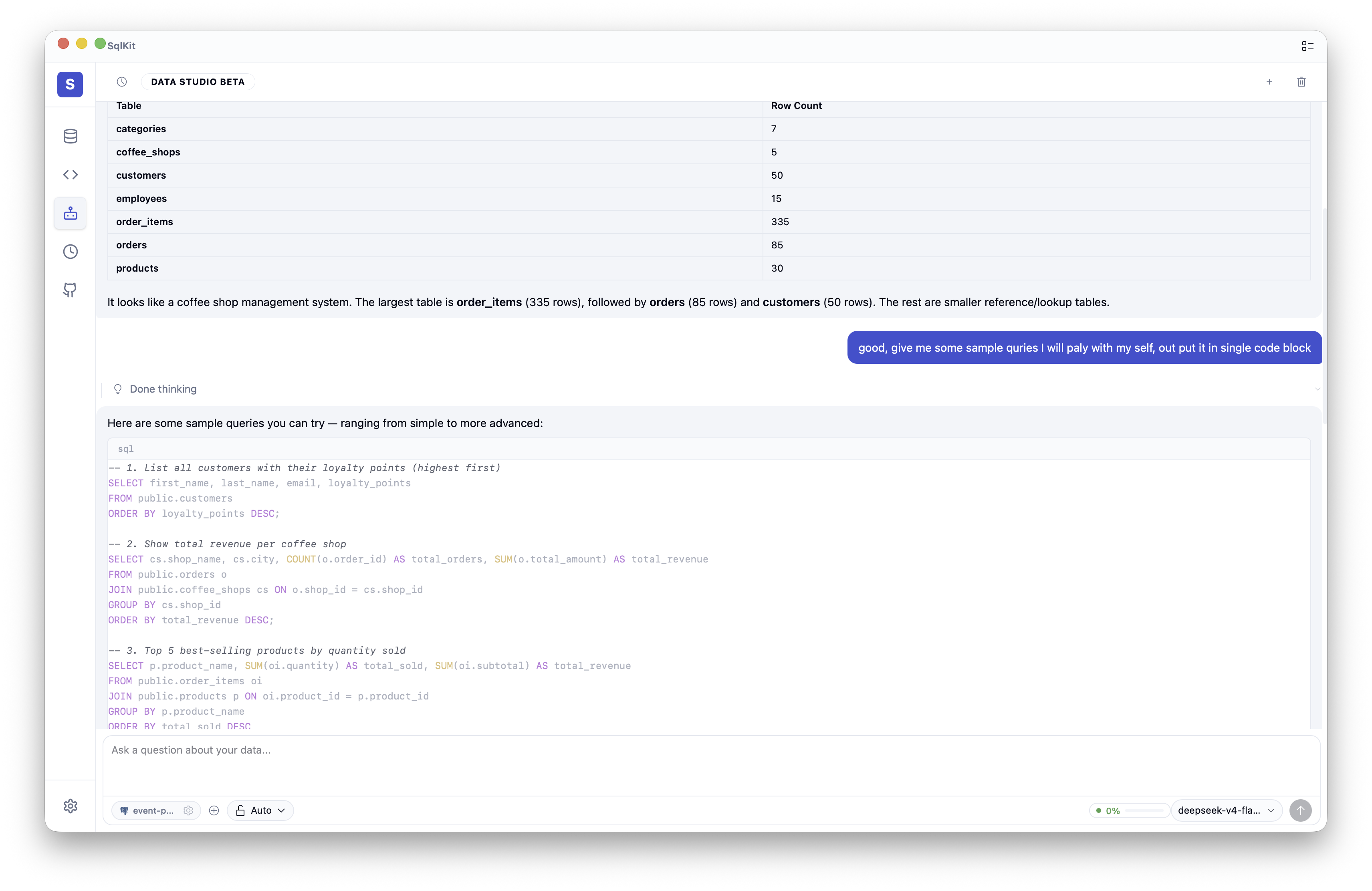
Use AI inside SqlKit
UltimateSqlKit includes two AI workspaces backed by your own API keys or local model server (20 provider presets including OpenAI, Anthropic, Google Gemini, DeepSeek, Grok, Mistral, Azure OpenAI, OpenRouter, Ollama, LM Studio, and custom OpenAI/Anthropic-compatible endpoints).
- Agentic Data Studio (
/data-studio) is a full-page workspace where you attach one or more database connections, keep SQLite-backed conversation history, monitor context usage with auto-compaction, and set per-sessionAskorAutoapproval modes. - AI Assistant Sidebar is a resizable right drawer (320-600 px) inside Queries that reads your active connection, current schema, and open SQL editor so you can explain queries, diagnose errors, or rewrite slow SQL.
- You can set both a global system prompt and per-connection business context prompts (domain terms, soft-delete columns, reporting rules).
Connect coding agents through MCP
UltimateEnable Settings → MCP Bridge to share permitted SqlKit connections with external coding tools such as Claude Code, OpenAI Codex, Cursor, and other stdio MCP clients via npx -y @geek-fun/data-studio-mcp.
- 25 registered database and DBA tools cover connection discovery, schema inspection, AST-verified read-only queries, execution plans, controlled writes/deletes/DDL, session lists, and slow-query checks.
- External MCP clients follow the same per-connection policy (
No Access,Read,Read & Modify Data,Full Access,Custom) as in-app AI. - Closing the SqlKit window leaves the local MCP Bridge running in the system tray or menu bar with live connected-client telemetry.
MCP bridge & coding agents · AI permissions & safety model
Edition & engine requirements
Community vs. Ultimate
| Capability | Community Free | Ultimate Paid / Trial |
|---|---|---|
| All 68 database profiles (Native, Wire-compat, HTTP, JDBC) | ||
| SSL/TLS modes & custom CA/client certificates | ||
| JRE 25 & JDBC driver auto-installer | ||
| Monaco SQL editor, 6-dialect autocomplete & 17-dialect formatter | ||
Visual EXPLAIN & EXPLAIN ANALYZE (Tree / Summary / Raw) | ||
| Schema browser, visual Create Table, DDL viewer | ||
| Virtual-scrolled data grid, filters, row edit/duplicate/delete | ||
Query history, favorites, saved .sql files, quick CSV/JSON/SQL export | ||
| 7 UI languages, Light/Dark/System themes, signed auto-updates | ||
| SSH tunnels & multi-hop jump chains | ||
| Interactive ER diagrams | ||
| Bulk Transfer workspace (CSV, JSONL, SQL, Excel import & export) | ||
| Agentic Data Studio & AI Assistant sidebar (BYOK) | ||
| Local MCP Bridge & per-connection AI policy editor |
Version-lock license guarantee
Ultimate includes a 7-day free trial and a version-lock fallback: every SqlKit version released on or before your subscription's lock horizon stays available locally even if you cancel later. See Pricing.
Engine and permission boundaries
Whether an engine shows schemas, views, stored procedures, triggers, EXPLAIN plans, or editable rows depends on the database engine, the driver layer, and the grants on your database user. Cassandra and ScyllaDB use CQL (system_schema metadata), omit foreign keys and views, and open as table previews without grid-side filter, sort, or paging. SqlKit always runs with the privileges of the database login you configure.